
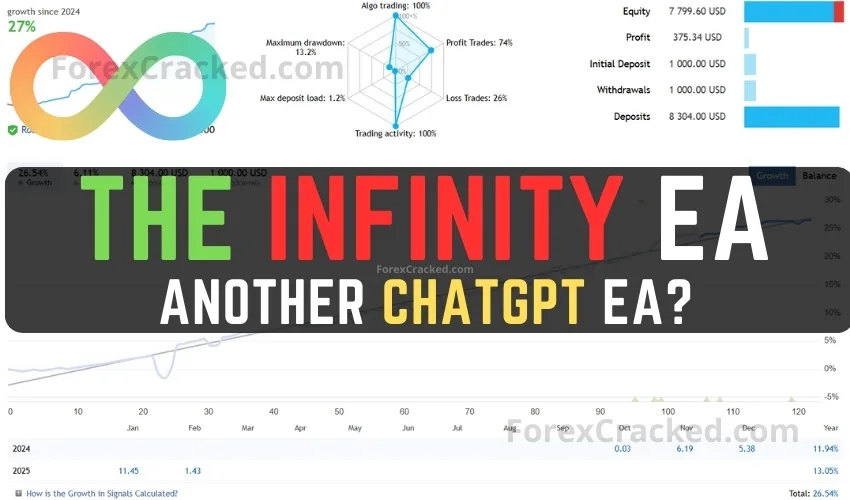
The Infinity EA FREE Download
The Infinity EA is specifically designed for GBPUSD and XAUUSD trading pairs. Marketed as a solution focused on safety, consistent...
Looking for reliable MetaTrader 4 trading robots? Browse our collection of 530+ verified MT4 Expert Advisors. Every EA includes strategy analysis, backtest results, and verified download links. Whether you need scalpers, grid traders, or safe non-martingale bots, we test every file before upload.
Popular MT4 EA Categories:
| EA Name | Strategy | Risk | Best For |
|---|---|---|---|
| Smart Machine EA | Recovery | 🟡 Medium | Account Recovery |
| Vigorous FX | Scalping | 🟡 Medium | Quick Trades |
| Gold Cycle Trader | Cycle Analysis | 🟢 Low | XAUUSD |
| FXStabilizer PRO | Martingale | 🔴 High | High Risk/Reward |
| Forex Vzlomshik Pro | Grid | 🟡 Medium | Range Markets |
How to Install: Download the .ex4 file → Open MT4 → File → Open Data Folder → MQL4 → Experts → Paste file → Restart MT4 → Enable AutoTrading.
536 posts found



![NorthWest Metatrader 4 EA FREE Download [V4 Update]](https://www.forexcracked.com/wp-content/uploads/2022/12/NorthWest-Metatrader-4-EA-FREE-Download-ForexCracked.com_.jpg.webp)
An Expert Advisor (EA) is an automated trading program that runs on MetaTrader 4. It executes trades based on pre-programmed rules without requiring manual intervention.
We test all EAs for basic functionality. However, always backtest on a demo account before using real money. Check each EA's risk level (Low/Medium/High) in our reviews.
Download the .ex4 file → Open MT4 → File → Open Data Folder → MQL4 → Experts → Paste file → Restart MT4 → Enable AutoTrading.
Yes, but be careful with risk management. Running multiple EAs can compound risk if they trade the same pairs or use martingale strategies.
Most EAs work with any MT4 broker. Some EAs require specific conditions like low spreads, ECN accounts, or certain leverage levels. Check each EA's requirements.