
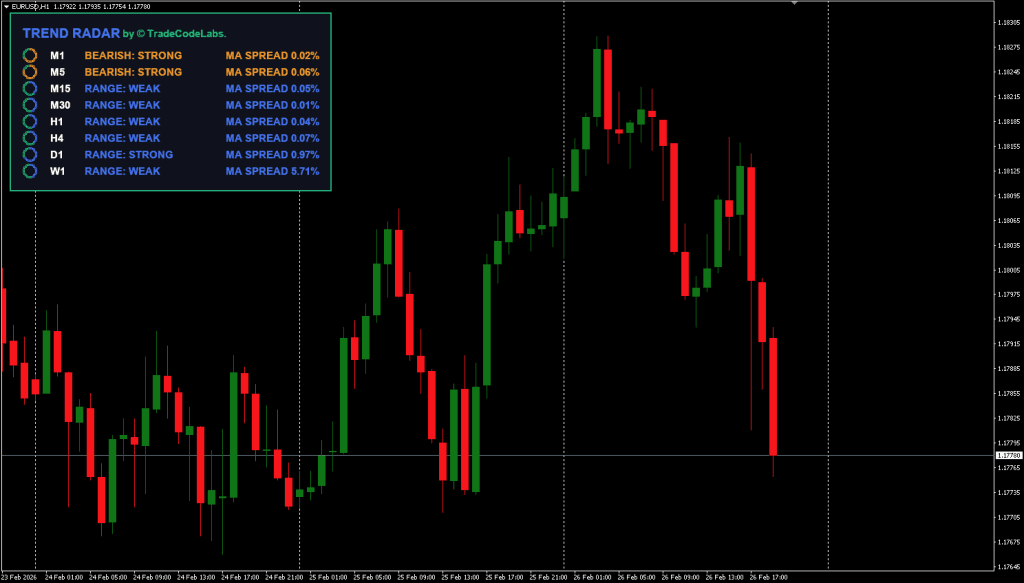
The Trend Radar is a multi-timeframe trend scanning dashboard developed by Trade Code Labs for MetaTrader 4 (MT4) and MetaTrader 5 (MT5). It monitors eight timeframes simultaneously M1, M5, M15, M30, H1, H4, D1, W1 and displays trend direction and momentum strength on a single on-chart panel. Unlike basic moving average tools, it uses a dual filter system combining MA crossovers with ADX momentum confirmation to validate every signal.
This article covers the indicator’s core logic, how to use it, and where to download it for free.
How It Works – Dual-Filter Logic
The Trend Radar goes beyond standard trend indicators by applying a strict three-layer validation process before classifying any timeframe as Bullish or Bearish. This approach is conceptually similar to how the Supertrend Multi-Timeframe Indicator combines trend direction across multiple periods, but adds explicit momentum confirmation through the ADX.
- Layer 1: Direction (MA Crossover) – The indicator checks for a crossover between a Fast MA and a Slow MA. When the Fast MA crosses above the Slow MA, a potential Bullish trend is flagged. The MA type (SMA, EMA, etc.) and period are fully customizable for each timeframe individually. Traders unfamiliar with EMA-based strategies will find this layer intuitive, it follows the same crossover principle used in most trend-following systems.
- Layer 2: Momentum (ADX Confirmation) – The MA crossover alone is not enough. The indicator validates the direction using the Average Directional Index (ADX). A Bullish signal requires the Positive Directional Index (+DI) to be above the Negative Directional Index (-DI), and vice versa for Bearish signals. This is the same directional logic used by the DMI ADX Histogram Oscillator, but applied here as a filter rather than a primary signal generator.
- Layer 3: Strength Gating (Optional) – An optional ADX threshold filter (e.g., 20 or 25) can exclude weak trends entirely. If the ADX value is below the threshold, the timeframe is marked as neutral regardless of the crossover state — keeping traders out of flat, choppy conditions.
Visual Momentum Rings
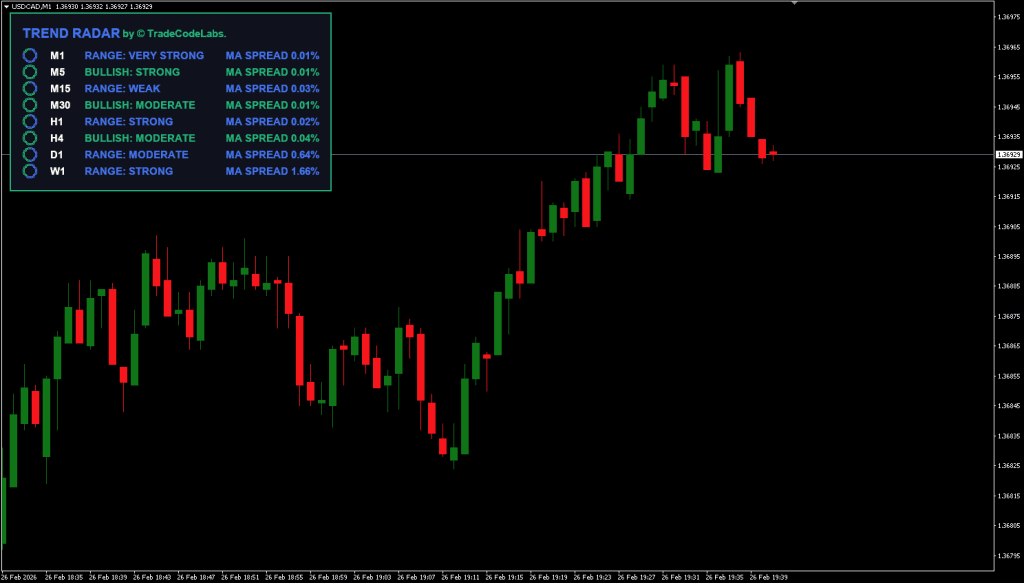
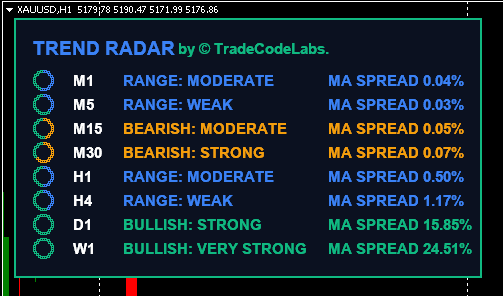
Each timeframe on the dashboard features a unique “Ring” visualization. As the ADX value (trend strength) increases, the ring fills with more dots. A fully filled ring indicates a strong, established trend, while a sparsely filled ring signals a weak or developing move. This allows traders to distinguish between a fresh breakout and a mature trend in a single glance.
The Trend Radar can be used on any Forex currency pair and other assets such as stocks, commodities, cryptos, precious metals, oil, and gas. While traders of all experience levels can use this tool, practicing trading on a demo account is recommended until you become consistent and confident enough to go live.
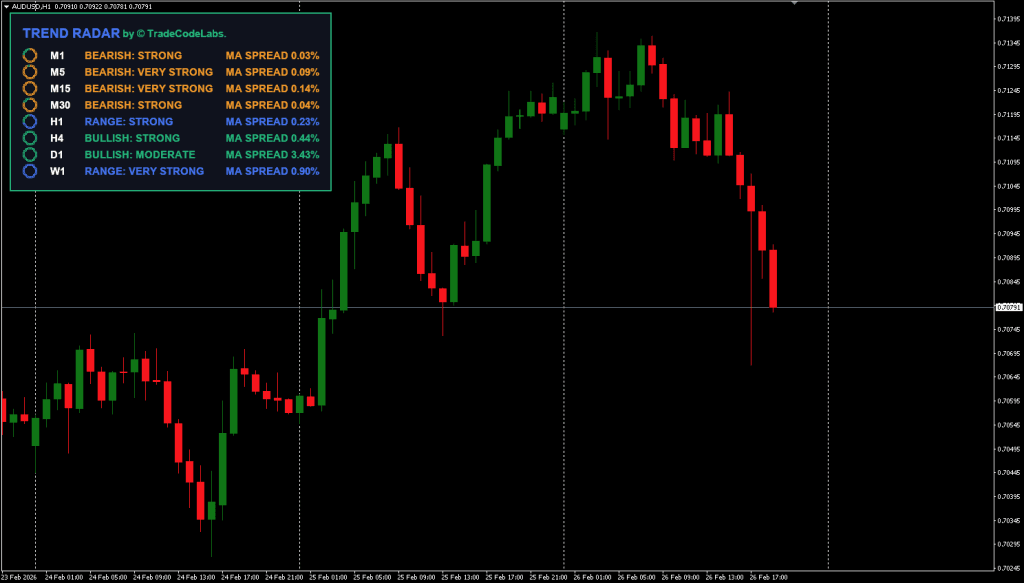
Key Features of Trend Scanner
- 8-Timeframe Dashboard – Trend Scanner monitors M1, M5, M15, M30, H1, H4, D1, and W1 on a single panel.
- Dual-Filter Validation – Combines MA crossovers with ADX momentum confirmation to reduce false signals.
- Visual Momentum Rings – Dot based rings that fill proportionally to ADX strength for instant trend assessment.
- Non-Repainting (ClosedBar Mode) – When set to ClosedBar, confirmed signals do not change retroactively, making it suitable for backtesting.
- Fully Customizable – Fast/Slow MA periods, MA types, and ADX parameters can be configured independently for each timeframe.
- Repositionable Dashboard – The panel can be snapped to any of the four chart corners using the Dashboard Location setting.
- Pop-up Alerts – Receive terminal pop-up notifications when trend conditions change.
For traders who want to identify which specific currency is driving the trend shown on the dashboard, the TCL Power Meter provides real-time currency strength analysis that pairs well with the Trend Radar’s directional signals.





Download a Collection of Indicators, Courses, and EA for FREE
How to Use Trend Radar
The most effective way to use the Trend Radar is through the Timeframe Alignment Strategy:
- Step 1: Attach to Your Trading Chart – Load the Trend Radar onto your primary trading timeframe (e.g., M5 or M15). The dashboard will automatically scan all eight timeframes and display their trend status.
- Step 2: Check for Alignment – Look for higher timeframe alignment. When H1, H4, and D1 all show the same direction (all green for Bullish or all red for Bearish), you have a high-confluence setup. This multi-timeframe alignment approach significantly improves win rates for scalping systems that otherwise trade in isolation.
- Step 3: Trade in the Direction of Alignment – Only take entries on your trading timeframe that align with the higher timeframe trend. For example, if H1 and H4 are both Bullish, only look for Buy signals on M5 or M15.
- Step 4: Use the Momentum Rings – Before entering, check the ring fill on H1 and H4. A strongly filled ring confirms momentum is behind the move. A weak ring may indicate a trend that lacks conviction. For position sizing on confirmed setups, use a Lot Size Calculator to manage risk properly.
- Step 5: Avoid Mixed Signals – If lower timeframes disagree with higher timeframes, stay out. Mixed signals typically indicate indecision or a potential reversal.
As a standalone indicator, its effectiveness often depends on how it’s combined with other tools or strategies. Traders looking for a complementary approach may consider pairing the Trend Radar with the Bollinger Bands Trader Indicator, another free Trade Code Labs tool that provides mean reversion entry signals, which can be filtered using the Trend Radar’s directional bias. For precise entry timing once the radar confirms a trend, the TCL Super RSI can identify overbought/oversold conditions within the confirmed trend direction.
Trend Radar Indicator
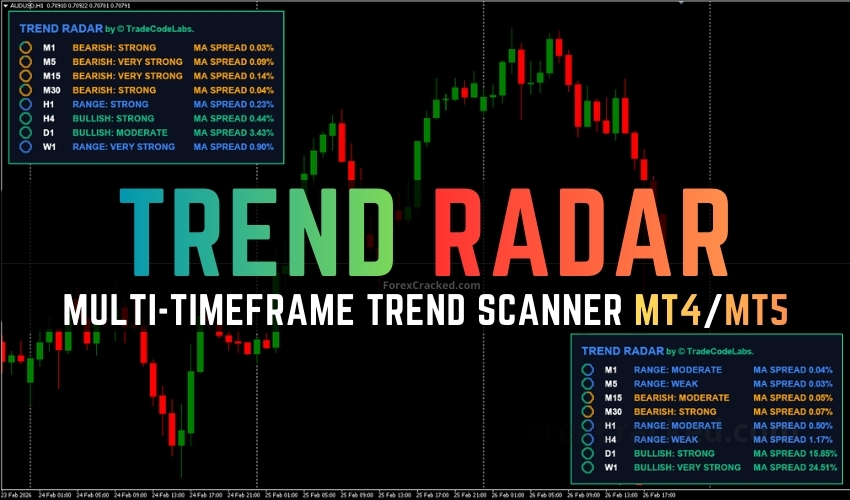
A free multi-timeframe trend scanner dashboard for MT4/MT5 that uses dual-filter MA crossover + ADX confirmation logic with visual momentum rings.
✓ Pros
- Monitors 8 or more timeframes on a single dashboard — no chart switching
- Dual-filter logic (MA crossover + ADX) reduces false signals
- Visual momentum rings show trend strength at a glance
- Non-repainting signals in ClosedBar mode
- Fully customizable MA and ADX parameters per timeframe
- 100% free — no premium unlock required
✗ Cons
- Alerts limited to pop-up only (no email or mobile push)
Summary
Trend Radar delivers a clean, information-dense dashboard that eliminates the need to switch between multiple chart windows. The dual-filter logic reduces false signals in ranging markets, and the momentum rings provide an intuitive read on trend strength. It is available for both MT4 and MT5, though alerts are currently limited to pop-up notifications only.
If you find the Trend Radar useful, consider visiting the indicator’s page on Trade Code Labs to leave a review and show some support for this free tool. You can also submit feature requests and vote for updates directly from that page, the developers actively take user feedback into account for future versions.
FAQ: Frequently Asked Questions
Conclusion
The Trend Radar provides a structured, multi-timeframe approach to trend analysis with its dual-filter MA + ADX logic and visual momentum rings. Its non-repainting signals and information-dense dashboard make it a practical tool for trend followers and scalpers who need to align entries with the bigger picture. However, while the dual-filter system reduces false signals in ranging markets, combining the Trend Radar with entry-specific tools, such as the DAT MACD indicator or price action confirmation, is recommended for more consistent results.


Thanks admin looking good!