
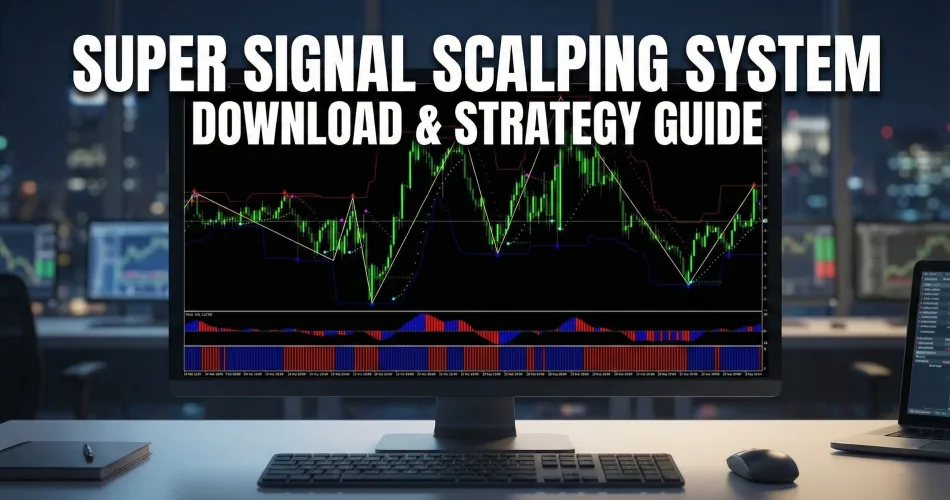

Scalping the Forex market requires more than just a gut feeling; it requires a system that filters out noise and highlights clear entries. The Super Signal Scalping Indicator System is not just a single tool—it is a complete trading suite designed to align trend, momentum, and support/resistance into one visual interface.
By combining powerful filters like the Parabolic SAR, Awesome Oscillator, and the Goldminer 2, this system aims to solve the biggest problem scalpers face: false breakouts.
Whether you are trading the M5 charts on EURUSD or looking for quick entries on Gold, this guide will show you how to set up and trade this strategy effectively in 2025.
This indicator was featured in our Top 10 Best Free MT4 Indicators for 2026 — read the full comparison with expert reviews and trading strategies.
System Visuals: What You See on the Chart
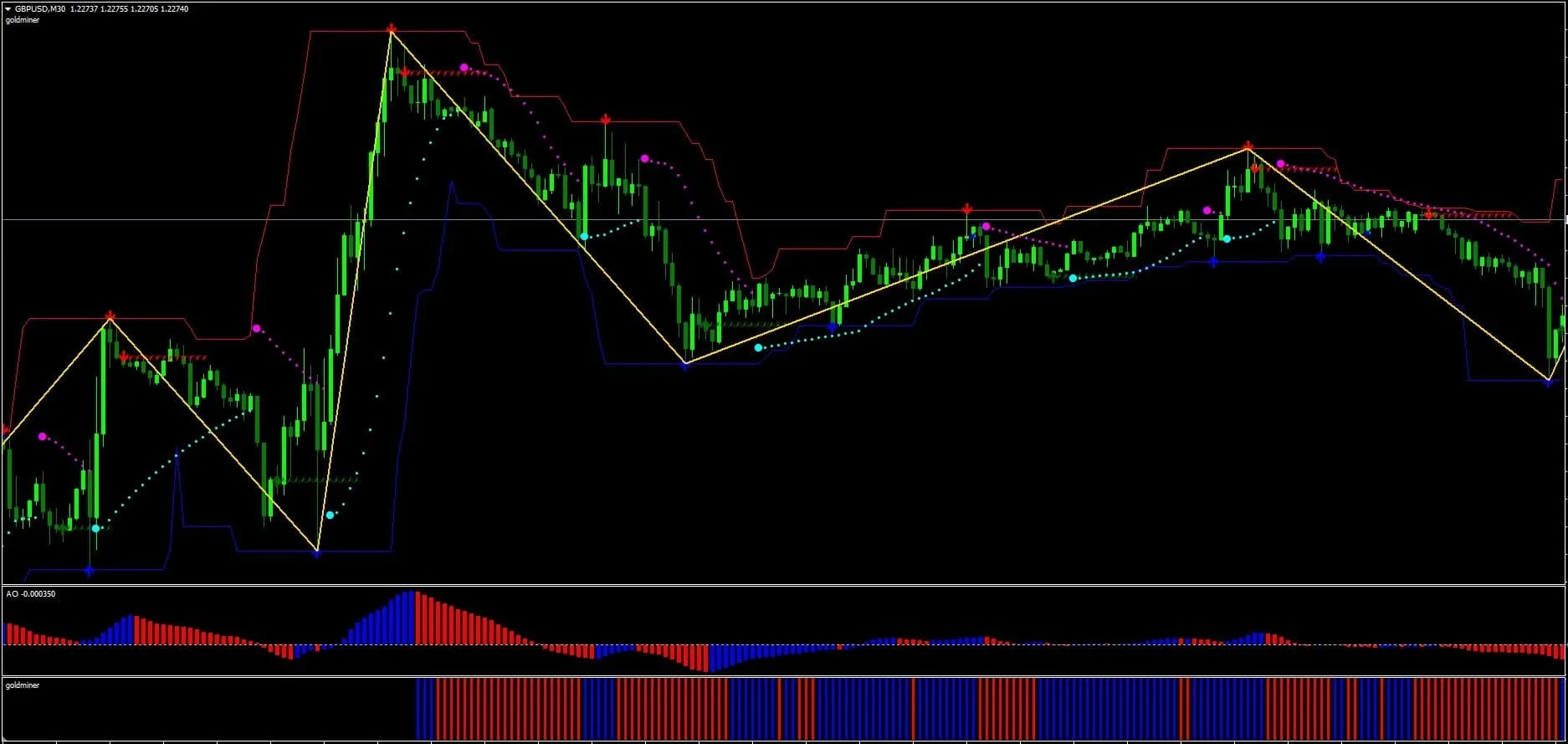
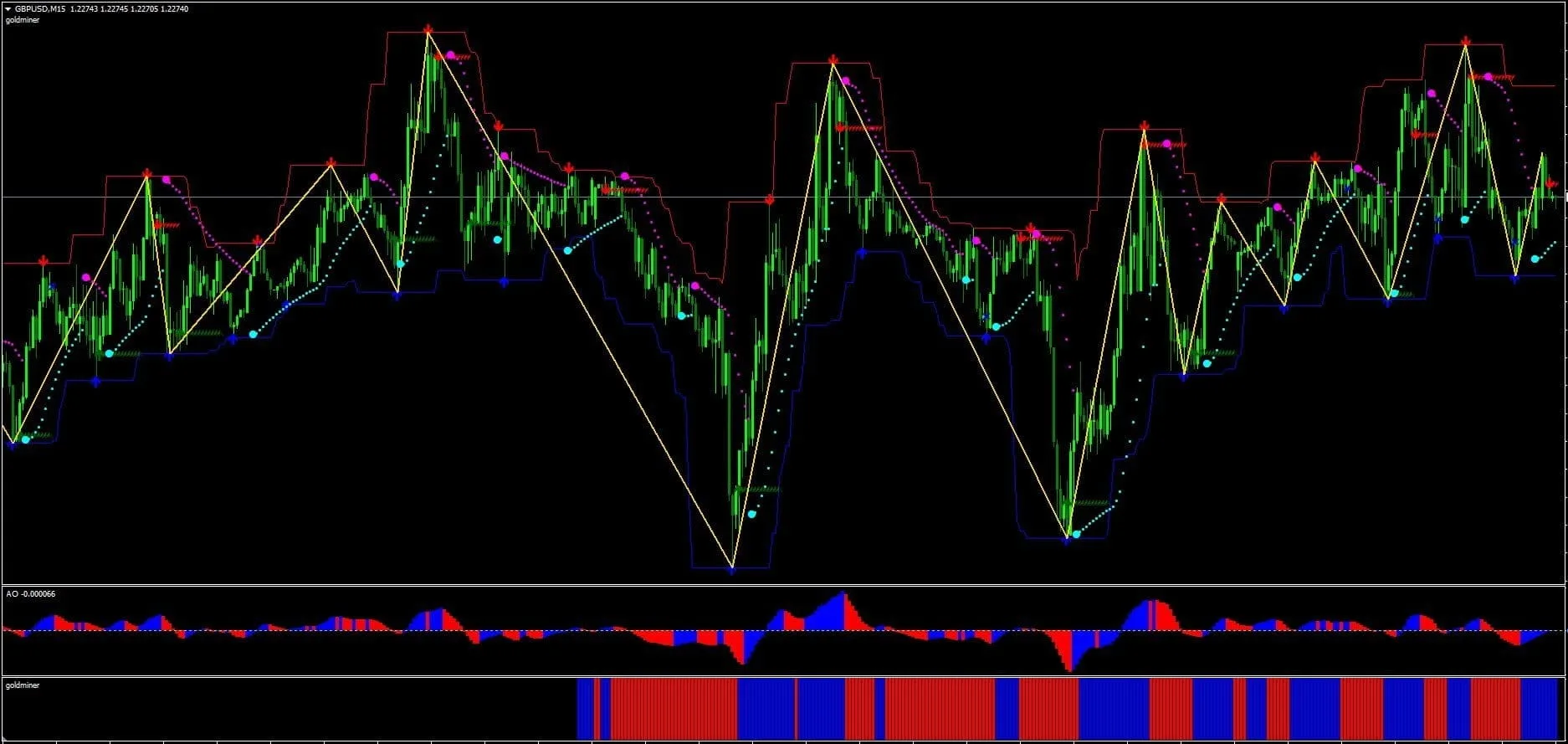
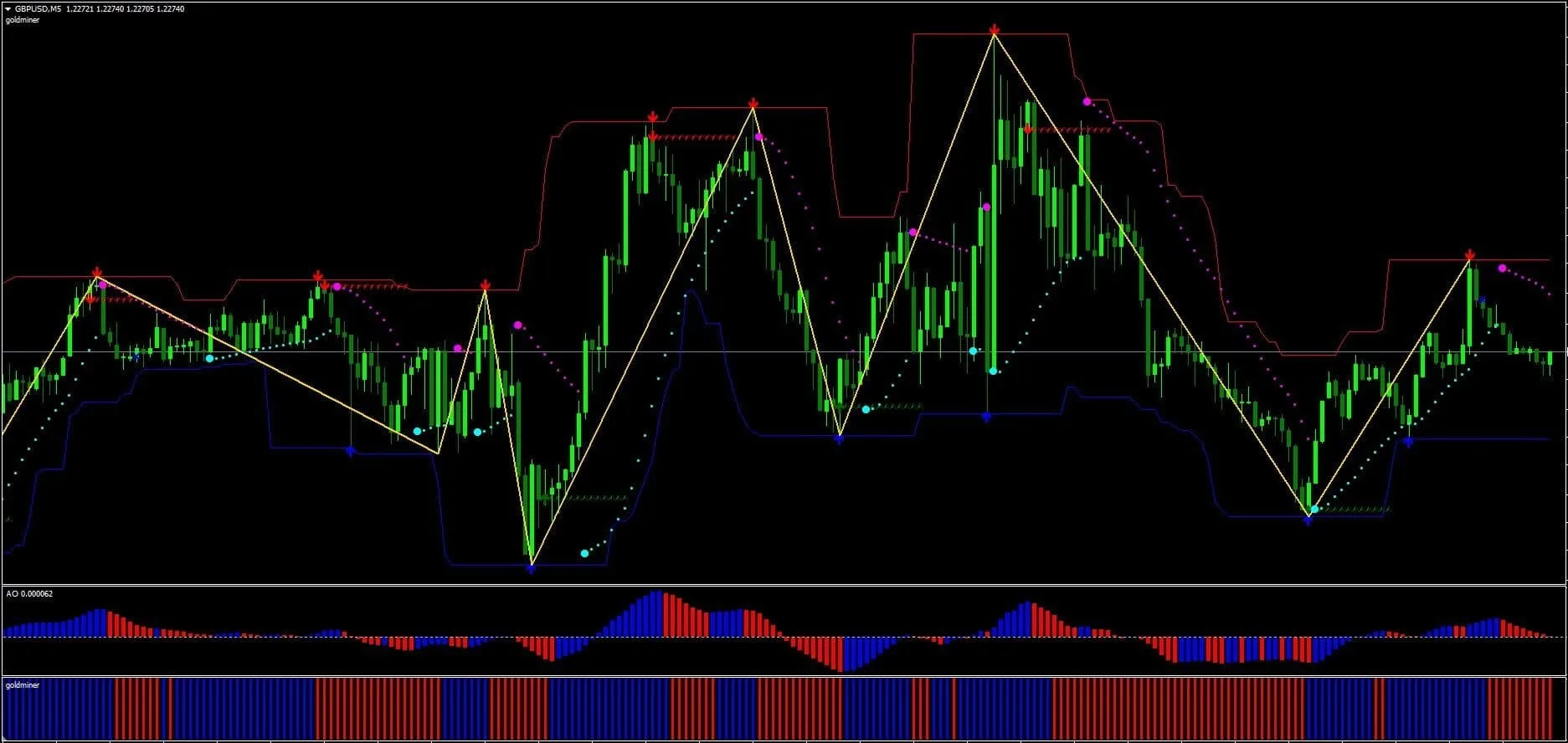
Unlike simple “buy/sell” arrow indicators that often fail, this system uses visual confluence. Based on the standard setup, your chart will feature:
- Main Chart Reversals (The “Suns”): You will see star or sun-shaped icons (Semaphores) appearing at local highs and lows. These mark potential reversal zones.
- Trend Channel: A dynamic channel (often red and blue lines) that helps you see if price is overextended.
- Parabolic SAR: The dotted line that trails price, acting as your trend direction filter.
- Bottom Histograms:
- Awesome Oscillator: The bar chart showing momentum (Red/Blue). To understand the momentum filters better, read our guide on the Awesome Oscillator Indicator.
- Goldminer 2: The solid block histogram at the very bottom, confirming the trend strength.
Trading Rules: How to Spot a Valid Setup
Important Strategy Note: Do not take every “Sun” or “Star” icon you see. Only trade when all conditions below line up vertically.
Long Entry (Buy Signal)
- The Reversal Signal: A Green/Blue Star (Sun) appears at a swing low.
- Trend Filter: The Parabolic SAR dots must flip and appear BELOW the price candles.
- Momentum: The Awesome Oscillator (first window) must turn Blue.
- Confirmation: The Goldminer 2 (bottom window) must show Blue Bars.
- Trigger: Enter at the close of the candle where all these conditions meet.
Short Entry (Sell Signal)
- The Reversal Signal: A Red/Pink Star (Sun) appears at a swing high.
- Trend Filter: The Parabolic SAR dots must flip and appear ABOVE the price candles.
- Momentum: The Awesome Oscillator (first window) must turn Red.
- Confirmation: The Goldminer 2 (bottom window) must show Red Bars.
- Trigger: Enter at the close of the candle where all these conditions meet.
Exit Strategy & Stop Loss
- Stop Loss: Place your SL exactly 3-5 pips above the recent high (for Sell) or below the recent low (for Buy).
- Take Profit: Exit when the Parabolic SAR flips direction or when an opposite “Sun” signal appears.





Download a Collection of Indicators, Courses, and EA for FREE
Expert Insight: Handling “Repainting” & False Signals
Many traders often ask: “Does the Super Signal (Sun icon) repaint?”
The answer is Yes, the standalone ArZZx2 (Semaphore) icons can recalculate if the price pushes higher or lower. This is normal for fractal-based indicators as they identify local highs and lows.
However, this is why we use a System. You should never trade the Sun icon alone. The strength of this strategy comes from the Goldminer 2 and Awesome Oscillator filters. These histograms generally do not repaint once the candle closes.
Strategy Tip: If you see a Sun icon, wait. Do not enter until the candle closes and you confirm that the Goldminer histogram is the correct color. This patience filters out 80% of the bad trades caused by premature entries.
How to Install the System on MT4
Since this strategy uses multiple files, the installation is slightly different from a single indicator:
- Download: Get the
.zipfile containing all indicators and the template (link below). - Open Data Folder: In MT4, go to File > Open Data Folder.
- Install Indicators: Copy all
.ex4and.mq4files into theMQL4/Indicatorsfolder. - Install Template: Copy the
.tplfile into thetemplatesfolder (not inside MQL4). - Restart: Restart your MT4.
- Load: Right-click your chart, go to Template, and select “Super Signal Scalping”.
Recommended Settings
- Timeframes: M5 and M15 are best for scalping. H1 is recommended for more stable, swing-style signals. If you prefer trading longer timeframes, check out our Best Forex Swing Trading Strategies .
- Pairs: Major pairs with low spreads (EURUSD, GBPUSD, USDJPY, AUDUSD). Pair this scalping system with a reliable Forex Broker with Low Spreads to maximize your profits and avoid slippage.
- Sessions: London and New York Overlap (08:00 – 16:00 GMT) provides the best volatility.
Recommended Resources
- Murasaki Scalper – The Best Trend Indicator for JPY Profits
- Pro Trend Line Indicator – Review & Free Download
- MTF MACD Bars Indicator Review 2025
FAQ
Can I use this on Mobile?
No. Custom indicators and templates like Goldminer 2 only work on the MT4 Desktop PC version. You can monitor trades on mobile after placing them on PC.
The arrows are moving, what should I do?
As mentioned in the Expert Insight section, arrows marks current highs/lows. Always wait for the Parabolic SAR to flip sides before entering. The SAR is your true trend confirmation.
Is this good for beginners?
Yes, because it is visual. However, beginners should strictly follow the “All Blue” or “All Red” rule. If even one indicator disagrees (e.g., Goldminer is still Red while Arrow is Blue), skip the trade.
Risk Warning: Scalping involves high-frequency trading and can lead to rapid losses if risk management is not used. Always test this system on a Demo Account for at least 2 weeks before trading live capital.


Indicator in the pic above is different
Also its repaint indicator
Delete Strategy