

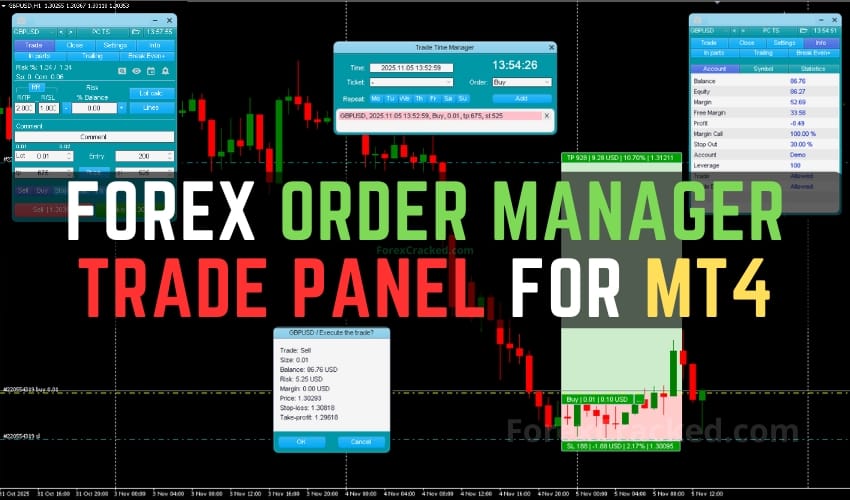
Traders utilizing manual strategies often find value in tools that enhance precision, control, and efficiency. A trade panel designed for manual execution provides a centralized interface for managing and fine-tuning trades. This article offers a technical overview of such a Order Manager, exploring its core functionalities across risk management, order handling, and graphical visualization, without applying a positive or negative bias.
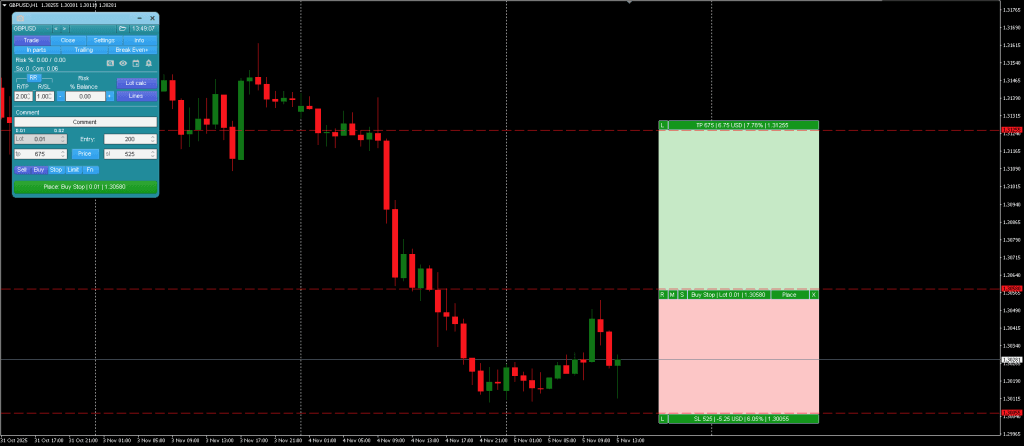
This MT4 Trade Manager in focus presents a range of integrated features, primarily aimed at supporting risk calculated decision-making and trade execution. Developed for manual traders, it brings together risk calculation, order configuration, and market tracking, all within a single system. Below is a breakdown of the functionalities grouped by category.
Order and Position Management Tools of this Order Manager
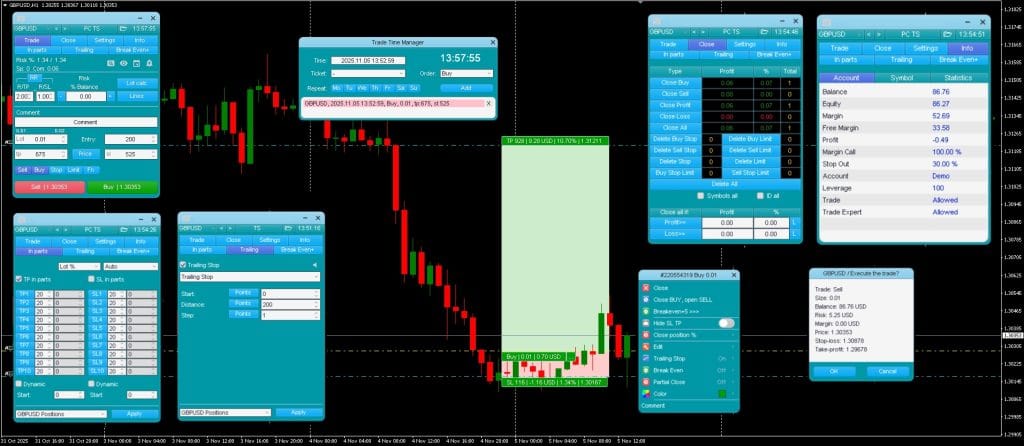
This Order Manager supports both market and pending orders, allowing for a variety of trade setup scenarios. Some notable functionality includes:
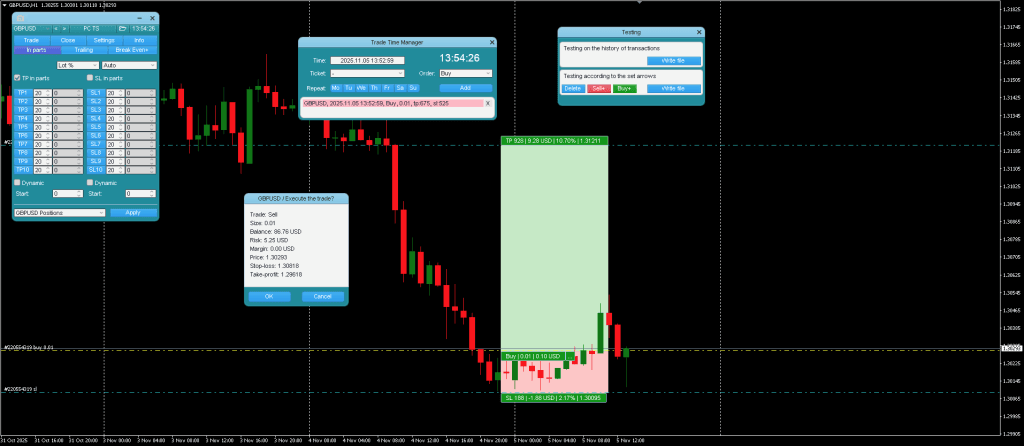
- Trade Time Manager – Allows scheduling of order openings or closings based on specified time frames.
- Partial Close – Enables manual or automated closure of a set percentage of trade volume.
- Trailing Stop Options – Offers 7 variants, based on fixed distance (pips), Fractals, Moving Average, Parabolic SAR, ATR, partial close triggers, or High/Low of previous bar.
- Breakeven Function – Adjusts the Stop Loss to entry price once favorable movement occurs.
- Limit Order Trailing – Enables movement of pending limit orders to follow the market at a set distance.
- OCO (One Cancels the Other) – When an order is triggered, other pending orders linked by this function are automatically removed.
For traders interested in stealth strategies, the panel provides virtual pending orders, virtual stop loss, and virtual take profit levels – concealing key levels from the broker. The Forex Trade Manager is a simpler alternative if you need basic virtual order management without the full feature set.
MT4 Trade Manager also incorporates tools for bulk closing positions based on type or after achieving a target profit.
Risk Management Functions of Trade Panel
One of the primary features of this Trade Panel is the risk calculation tool. This allows traders to determine position size based on preset risk percentages or fixed monetary values. Users can define risk in various forms:
- Percentage of Balance, Equity, Free Margin, or Custom amounts
- Fixed values in the account’s base currency
- Dynamic risk based on previous day’s, week’s, or month’s price action (AB values)
The Lot Calc toggle enables or disables this risk calculation tool, while fields such as R/TP and R/SL let users adjust their desired risk-to-reward ratios. For example, a 2:1 ratio signifies the Take Profit target is double that of the Stop Loss. For quick lot size calculations outside of MT4, the Lot Size Calculator web tool provides the same functionality.
Volume is calculated with the inclusion of broker spread and commission, which helps traders get a more realistic view of potential outcomes. The Pip Calculator is another useful companion for understanding pip value across different instruments.may help traders get a more realistic view of potential outcomes.
Graphical User Interface and Additional Tools
The MT4 trade panel is designed with multiple UI layers to assist in visualization and quick access functionality:
- Main Panel – Acts as a control hub with tabbed sections for navigating between functions.
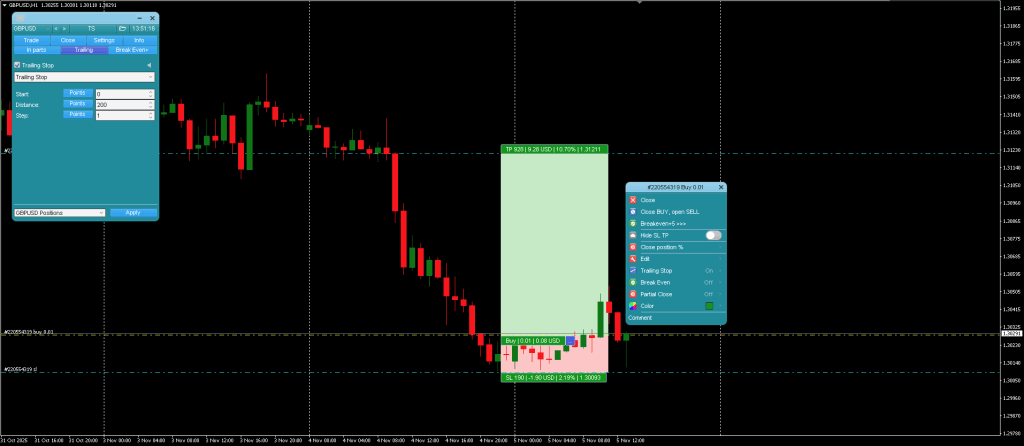
- Line Function – Graphically shows levels for Entry, Stop Loss, and Take Profit, both before and after order execution. This facilitates manual input adjustments with visible feedback.
- Context Menu – Useful for modifying settings attached to a specific order without affecting others, adding flexibility during multi-order management.
Additionally, some auxiliary additions include:
- Symbol Switcher – Changes the instrument on the current chart or across multiple charts, depending on preference.
- Hotkeys – Offer keyboard shortcuts for traders to quickly access trade operations or adjust chart perspectives.
- Alerts – Notifies users when predefined support or resistance levels are breached.
- Screenshot Tool – Allows for manual or automatic capture of chart images for record-keeping or analysis.
- Read More Ultimate Trade Assistant FREE Download – Last Order Manager you Ever Need
Forex Order Manager
Comprehensive MT4 trade panel with built-in risk calculation, 7 trailing stop variants, virtual order management, partial close, breakeven, and visual line-based trade planning. Supports hotkeys, alerts, and netting accounts.
Pros
- 7 trailing stop variants (pips, fractals, MA, SAR, ATR, partial close, bar H/L)
- Virtual pending orders, SL, and TP – hidden from broker
- Visual line-based trade planning with live risk/reward display
- Risk calculation includes broker spread and commission
Cons
- Steep learning curve – extensive configuration options
- MT4 only – no MT5 version available
Summary
The most feature-complete free trade panel we've reviewed on ForexCracked. The combination of visual trade planning lines, 7 trailing stop variants, virtual SL/TP, and granular risk calculation (including spread/commission) rivals paid alternatives. The learning curve is steep due to the sheer number of features, but once configured, it provides a level of control that standard MT4 simply cannot match.

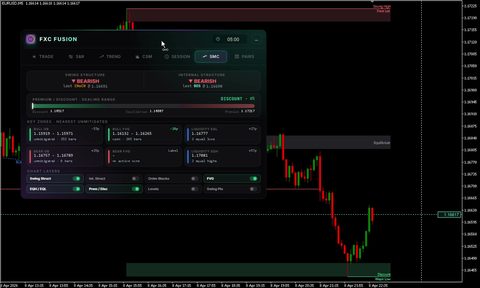
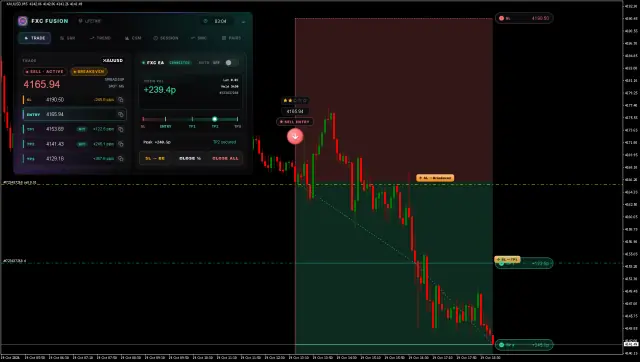
 Built by ForexCrackedWe tested 1,200+ indicators. Then we built our own.Six years of reviewing EAs and indicators went into FXC Fusion: two engines, the seven-panel cockpit, MT4 and MT5, from the team behind this site.
Frequently Asked Questions
Conclusion of MT4 Trade Manager
This MT4 Trade Manager centralizes many manual trading operations into a single interface, with a strong emphasis on customized risk management and dynamic position control. Trailing stop variants, partial close capabilities, and multiple risk input types offer mechanical flexibility, while a structured visual setup enhances clarity during trade planning. However, due to Trade Panels detailed setup and range of configurations, users may need a learning curve to utilize the full potential of the tool.
Order Manager is especially suited for traders who prioritize granular control in their operations and wish to manage trades based on fixed strategies or evolving market dynamics without full automation. Whether or not these features translate into improved outcomes will depend heavily on the trader’s strategy and discipline in application.


Discussion 2 comments
Is this still working?
Can you please update JBR Trend Indicator it has expired.🙏🏼😭
does not attach to chart what is missing tpl file or something