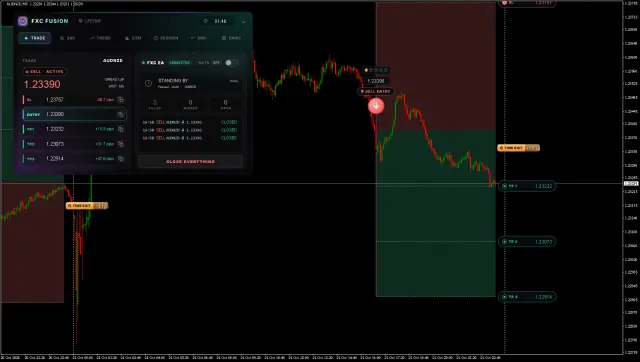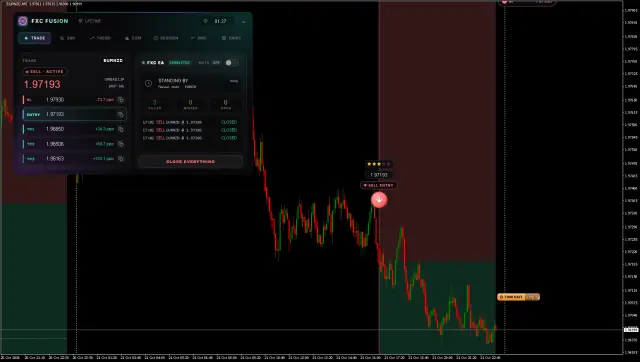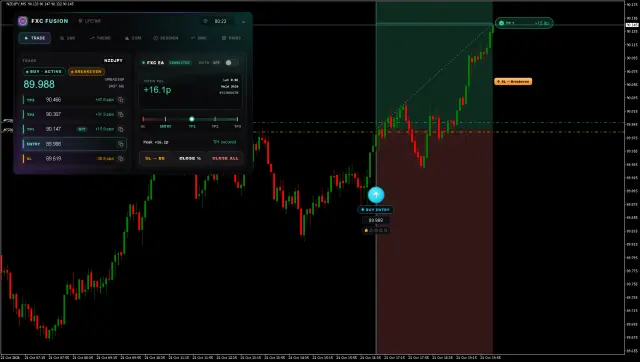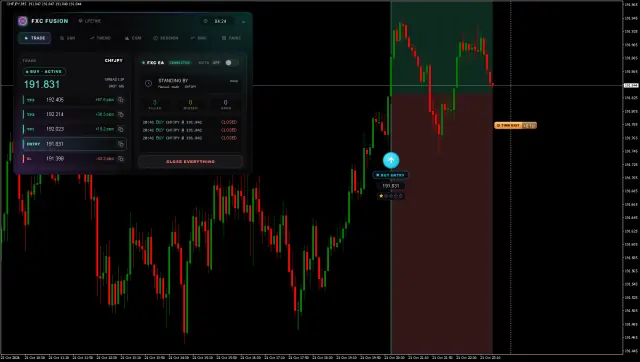
Not another arrow indicator.
A six-panel cockpit and one scored trade a day, for MetaTrader 4 & 5.
► Watch how it works · 90-second introFree · no card · one email when it opens · unsubscribe in 1 click
The whole market, one panel
A breakout engine and a six-panel cockpit, fused. Switch a tab, the dashboard and the read-out beside it both change.

Scaled to fit your screen. For the full, interactive cockpit, open this page on a desktop.
More arrows won't make you profitable
Most MT4 / MT5 indicators add noise. What's missing is structure, and the discipline to wait for it.
Arrows that repaint
The signal looks perfect, then quietly moves after the candle. The backtest cheats; the live account doesn't.
No plan, just a guess
An arrow gives a direction and nothing else. No stop, no target, no risk. You improvise it live.
Signal spam
A dozen alerts a day trains you to overtrade. By the ninth, you've forgotten what good looks like.
Built for the trader who's done guessing
Fusion isn't for everyone. It's sharp if this sounds like you.
You know MT4 / MT5
You trade a live or funded account and want a tool, not training wheels.
You're done with spam
Repainting arrows and a dozen alerts a day have cost you enough.
You want a reason to wait
Structure and patience beat activity. You'd rather sit on your hands than force it.
One good trade > ten
You'd take a single graded setup over ten mediocre ones, every week.
Not for you if you want a hands-off robot or a promise of guaranteed wins, Fusion is a decision tool. You still place the trade.
Everything FXC Fusion puts on your chart
One indicator. One licence. The six-panel cockpit, the full trade plan drawn for you, multi-pair scanning, and an optional Auto EA for one-click or full-auto execution.
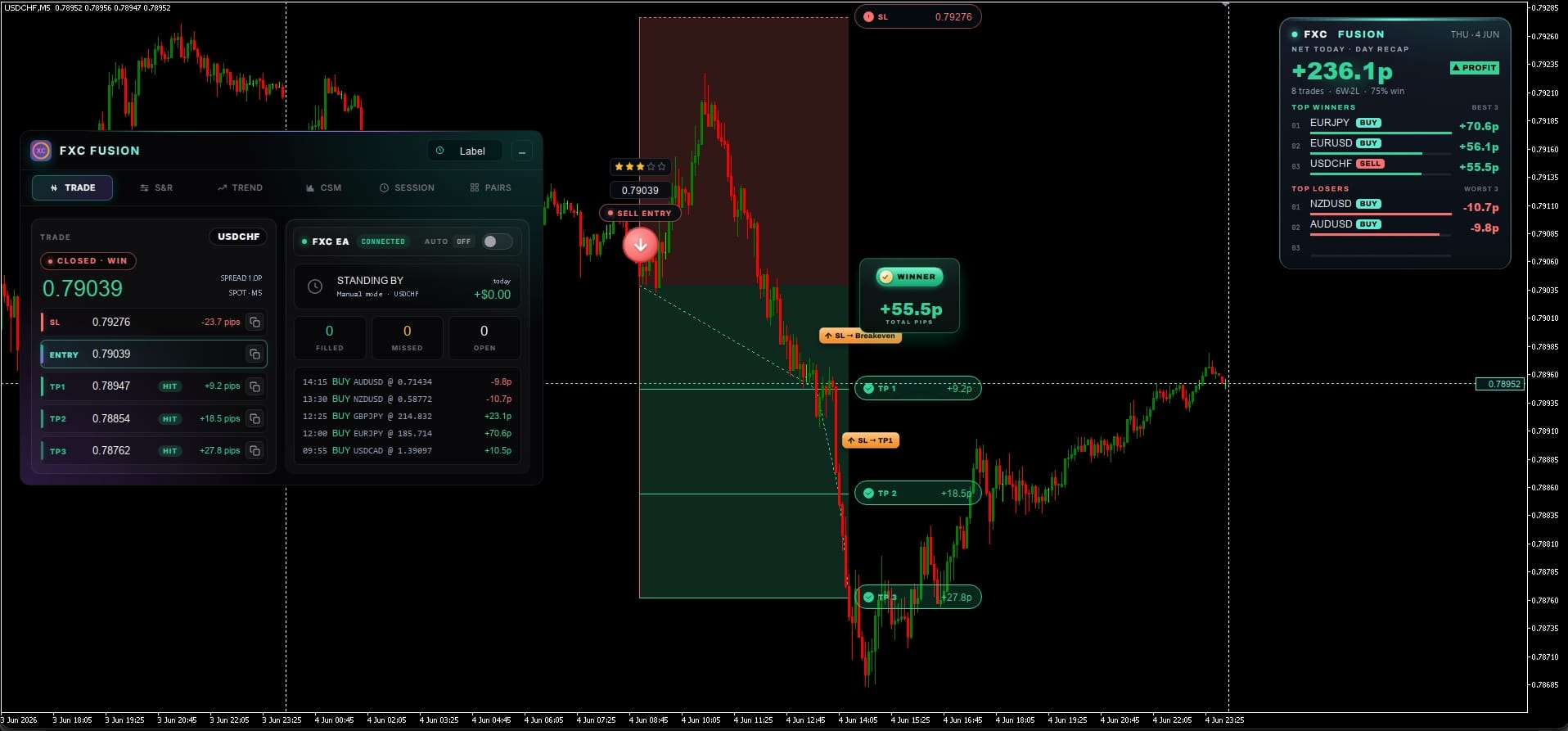
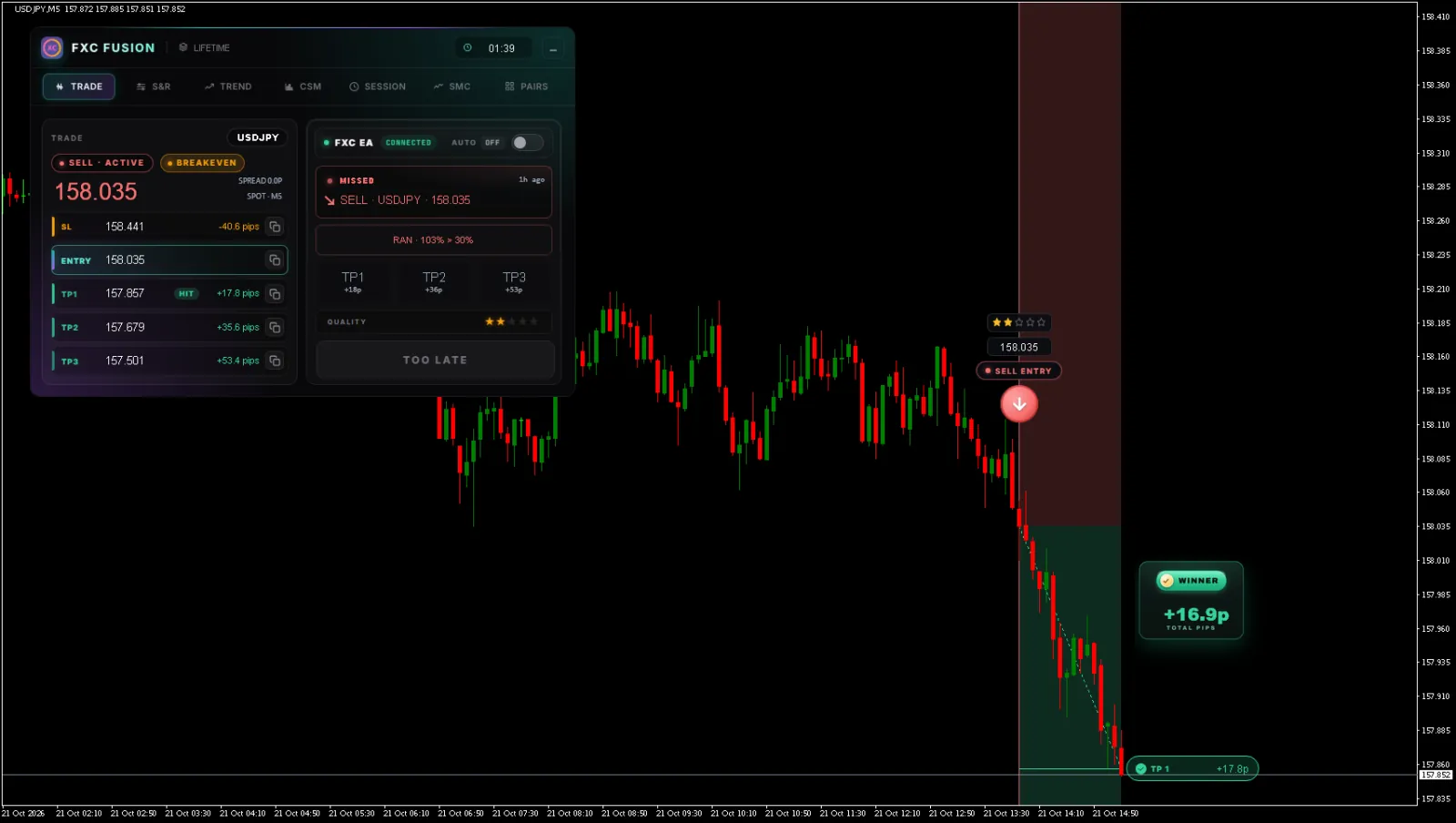
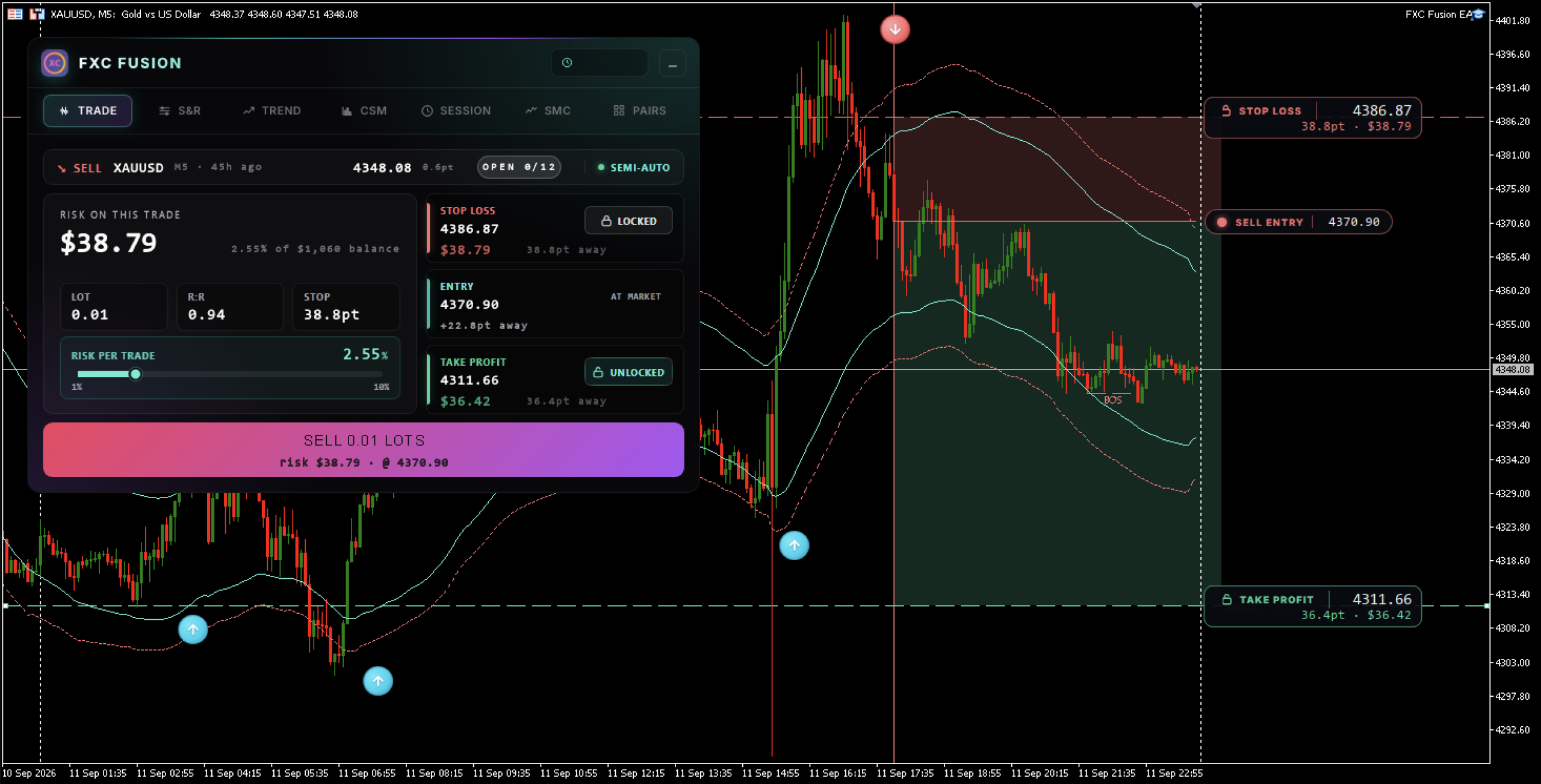
Entry, stop and three targets drawn on the chart the moment a signal qualifies. You only decide whether to take it. See it live in the cockpit →
Same indicator's signals, with execution automated to your filters. Bundle in this drop for +$50, or add anytime later for $87. See the Auto EA →
Click any pair, the chart loads instantly. Alerts fire across every watched pair so you can run multiple setups at once, not just one chart at a time.
Trade · S&R · Trend · Currency strength · Session · Multi-pair, in one draggable panel. Open the cockpit →
Signals can fire mid-candle, the moment the setup qualifies. Once an arrow shows up, it stays. It doesn't shift, doesn't disappear, doesn't wait for candle close.
Q1–Q5 quality score. No coil, no trade, the engine stays silent. Structurally can't overtrade.
M1 to Monthly, every timeframe scored UP / DOWN / RANGE into one bias verdict.
All 8 majors ranked by equal-weighted daily move. Confirms which side of the trade has flow behind it.
Sydney / Tokyo / London / NY on one 24h clock. Auto-detects your broker's GMT offset. Liquidity curve shows when to take the trade.
One coil. One trade. Graded before you see it.
Fusion hunts coiled consolidations across the market and trades the breakout out of them. Only setups that pass two gates and earn a Q1–Q5 score ever make it to your chart. Hover the timeline to see what happens at each stage.
The coil
Breakout
Trend
Momentum
Volatility
The two gates decide if a setup exists. The three grades score how good it is. That final Q1–5 is the confidence rating printed beside every arrow.
You're not watching the chart. Fusion is.
One decision a day, and the whole trade is drawn before you make it. The rest of your day stays yours.
A coil forms
Price compresses into a tight range. Fusion records the coil silently. Nothing to watch, nothing to do.
The coil breaks, and gets scored
The breakout clears both gates. Fusion scores it Q4/5 and draws the entry, stop and three targets on your chart.
Your phone buzzes, awake or not
Push, email and a sound on the chart, each carrying the full plan. The signal can land while you sleep, it waits for you.
Ten seconds, two ways to take it
Place it yourself at the levels Fusion drew, one-tap the Auto EA to fire the SL and TPs for you, or let full-auto take it inside your filters while you're away.
TP1 and TP2 tag, you're flat
The trade walks Active → TP1 → TP1+TP2 on its own. One decision made, one trade taken. Back to your day.
Same engine. One click, or fully automated.
The Auto EA bolts onto Fusion's TRADE tab and turns every graded signal into a trade. One-click execute, split trades across TPs, or run it full-auto across every pair you watch with your filters in charge.
- Pick 1, 2, or 3 TPs via the toggles. EA opens that many trades, same SL.
- Lot is split automatically: 1 TP = full lot, 2 TPs = ½ each, 3 TPs = ⅓ each.
- Set your lot size + see risk in $ before you commit.
- Break-even auto-arms after TP1 hits. No babysitting the chart.
- Multi-pair watcher: star a pair, EA runs it. Take signals across every pair you'd watch yourself.
- Quality filter: minimum Q-score per trade. Q3+ only? Q4+ only? Your call.
- Risk caps + session gates: max trades per day, max loss per day, only certain sessions.
- Live feed of every executed and skipped trade with the why-skipped reason logged.
You don't have to watch the chart
Fusion watches every pair you turn on. When a graded signal fires, the alert comes to you with the whole plan, not just a beep.
Real signals. No cherry-picking.
Screenshots, recordings and member reviews, wins and losses, dated. Added here as they come in.


Captures from a preview build of FXC Fusion. Some visuals aren’t final and the strategy is still being fine-tuned, early-access, not the finished release.
Ran it on EURJPY M5 for about six weeks of the closed beta. Two losses the first week which I expected getting used to the alerts, but the third trade was a Q5 sell and it hit TP2 the same morning. The session clock alone is worth it, I finally know when to stop staring at the chart. Only thing I wish for is a louder default alert sound.
Been testing six weeks. I am not great trader but the Q score saved me, before I used to take every arrow, now if it shows Q1 or Q2 I just skip. Two months back I was around -8% on my account, this morning checking I am +3.4%. Not crazy but first time in a year actually trending up. Will buy EA the day it comes out.
Used it during the closed test on GBPUSD and AUDUSD on my prop account. The no-repaint claim holds, I checked the screenshot log against live entries and nothing shifted post-close. 11 setups in May: 10 met my Q3+ filter, 1 Q2 I took anyway out of habit and lost on. 6 wins, 4 losses, 1 BE at TP1. Net positive month. The CSM tab is what I use most, confirms bias before I pull the trigger.
▲ Reviews above are from the closed beta. The signal log + screenshots will populate as Drop 1 buyers post their real results.
Fusion vs a typical indicator
Same chart, same broker. Here's where the gap is.
Not a faceless vendor. Real traders behind every line of code.
FXC Fusion is built by the team behind ForexCracked.com, real traders with 10+ years experience each. After 6+ years testing what works and what doesn't, we built our first own indicator.
We don't sell Fusion on tap. On purpose.
Fusion's edge is one mechanical price line. That kind of edge only keeps working while the line stays uncrowded, so we limit how many traders are ever on it.
When this drop is gone, it's gone until the next one.
The Founding 50 drops Mon, Jun 22 · 00:00
Drop your email, you're first in line when the buy button unlocks, 24 hours before the public.
- ✓FXC Fusion indicator, lifetime licence for MT4 & MT5
- ✓Six-panel cockpit, one scored trade a day, never repaints
- ✓All future updates & new panels, free
- ✓Setup guide + recommended-settings preset
- ✓14-day money-back, no questions, no interrogation
- ✓Optional Auto EA add-on, +$50 when you bundle in this drop, $87 anytime after how it works →
Waitlisters get the 24-hour head-start before public.
You're confirmed for the 24-hour early access window.
Running in about two minutes
No subscription portal, no licence-key dance. Buy it, install it, attach it.
Secure your licence
Checkout takes a minute. You get the file and the setup guide instantly.
Download FXC Fusion
One indicator file plus the recommended-settings preset.
Drop it into MetaTrader
Into the MT4 or MT5 Indicators folder, the guide shows the exact spot.
Attach to any chart
Drag it on, and the cockpit is live. Works on any broker, any pair.
Everything about pricing, drops, the EA and the indicator
The honest answers, how each drop is priced, what the EA add-on actually does, when signals appear, and what happens if you miss a drop.
Pricing & value
Why is Drop 1 only $247 if future drops cost more?
We release 50 licences at a time. Each drop costs more than the last, Drop 1 is $247, Drop 2 is $347, Drop 3 is $447, and every drop from there stays at $447. Drop 1 buyers simply get the lowest price the product will ever carry, because they bought first.
How does the pricing escalation actually work?
$247 then $347 then $447, then $447 for every drop after. Each batch is 50 licences and you pay the price of whichever drop you buy in. Once you buy, you own the indicator for life regardless of what the next drop sells at.
If I miss Drop 1, can I still get the $247 price later?
No. $247 is Drop 1 only. If Drop 1 sells out before you act, the next opportunity is Drop 2 at $347. Waitlisters get the 24-hour head-start, so they have the best chance of catching their preferred drop.
Why cap each drop at 50 licences?
We want every buyer to actually use the indicator and have access to support. 50 keeps the community small enough to talk to directly. It also keeps the indicator's edge from being diluted by thousands of identical users hitting the exact same setups.
Is the licence a one-time payment or a subscription?
One-time payment, lifetime licence. No renewals, no monthly fees. All future indicator updates and new cockpit panels are included free for as long as you own the licence.
How drops work
What's a "drop"?
A drop is a release window where 50 licences become available at a fixed price. When 50 are claimed, or the window closes, the drop ends and the page switches to a waitlist for the next one.
When does the next drop happen?
Drops run on a roughly monthly cadence. The exact next-drop date is announced inside the waitlist email once the current drop closes. Pricing follows the escalation: Drop 2 = $347, Drop 3 = $447, every drop from then on = $447.
How does the 24-hour waitlist head-start work?
If you're on the waitlist, the buy button unlocks for you 24 hours before the public sees it. That window is when most drops sell out. The earlier you join the waitlist, the better your odds of catching your preferred drop.
What if a drop sells out before I get in?
You stay on the waitlist for the next drop. Your spot rolls over until you actually buy. You'll still get the 24-hour head-start, just at the next drop's price.
Does the waitlist reserve me a licence?
No. The waitlist gets you 24-hour early access, first-come, first-served within that window. It doesn't hold a licence. The earlier you click the buy button once it unlocks, the better.
Auto EA add-on
What is the Auto EA add-on?
An advanced expansion of Fusion's six-panel cockpit into a full execution control panel. From the same chart window you'll be able to: one-click open a trade with stop-loss and multiple TP levels pre-filled from the indicator's plan; run semi-auto mode where the EA prepares the trade and you approve it; or run full-auto with your own filters (sessions, pairs, risk caps, daily trade limits). Full spec will be published when the EA is finalised.
How does the EA pricing work?
+$50 if you bundle the EA with the indicator during this drop. $87 if you add the EA later, after the drop closes. Either way, it unlocks the same lifetime EA licence.
Do I need the EA to use Fusion?
No. The Fusion indicator is the core product and works on its own. The Auto EA is for traders who want to automate or speed up execution. You can always add it later at $87.
Does the EA take trades on its own logic, or follow the indicator?
It follows the indicator. The Auto EA reads the same scored signals the indicator draws on your chart, entries, stops and take-profits come from Fusion's plan. In semi-auto mode you approve each trade; in full-auto it executes respecting your filters and risk settings.
The indicator
Does FXC Fusion repaint?
No, never. Signals can fire mid-candle the moment a setup qualifies, you don't have to wait for the candle to close. Once an arrow appears, that's it: it stays where it appeared, never shifts position, never disappears. What you see in a backtest is exactly what you would have seen live.
Is the indicator itself a robot?
No. The Fusion indicator detects the setup, scores it, and draws the full entry / stop / take-profit plan on your chart. You decide whether to take the trade. (Execution automation is handled by the optional Auto EA add-on, see the Auto EA section.)
Which pairs and timeframes does it work on?
Any pair your broker offers. The breakout engine runs on M5 by default (M1 optional), and the six-panel cockpit works on every chart timeframe.
What time of day do breakout signals usually appear?
A signal can fire any time inside a roughly 5-hour active window, around 07:00 UTC to 12:00 UTC in your local time, whenever a coiled range breaks and clears the gates. It's the setup that triggers the signal, not a fixed clock time. Outside that window the cockpit panels (S&R, trend, sessions, CSM) still run, but breakouts are rarer.
Will it work on my broker?
Yes. FXC Fusion runs on both MetaTrader 4 and MetaTrader 5, on any broker. It auto-detects broker symbol suffixes so your pairs resolve with no manual setup.
Do I need trading experience to use it?
You should already know your way around MetaTrader and how to place an order. FXC Fusion removes the guesswork, the setup, the score and the full plan are done for you, but it's a decision tool, not a beginners' autopilot.
FXC Fusion lands Mon, Jun 22 · 00:00.
Founding 50 licences at $247. Next drop reopens at $347. Waitlisters get the 24-hour head-start before the public.
Get 24h early accessMore from the team behind Fusion
Six years of free indicators, expert advisors, strategy guides and broker reviews, all on ForexCracked.com.
Nothing here is financial advice, and no result or profit is guaranteed. Trading forex and CFDs carries a substantial risk of loss and is not suitable for everyone; you can lose more than your initial deposit. Past performance and example trades do not indicate future results.
© 2026 ForexCracked.com. Drop schedule and pricing are set per release; see the FAQ for the current cadence.