

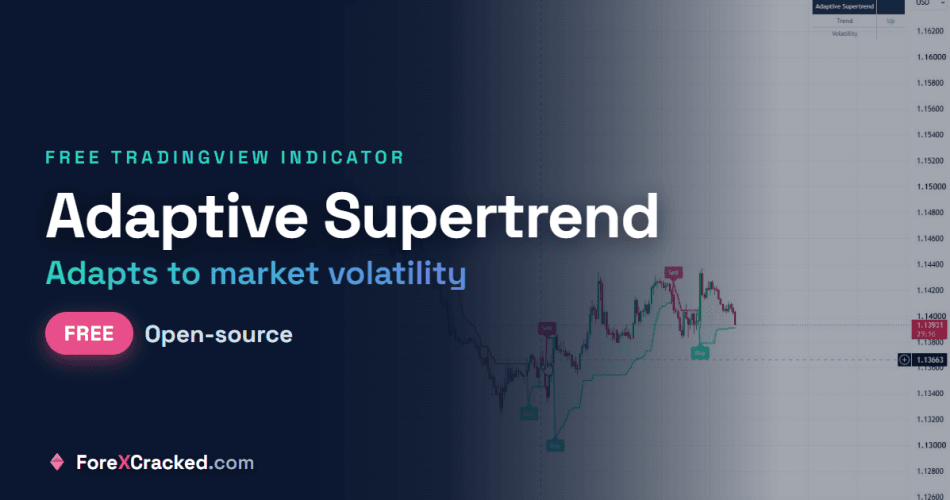
If you have traded the standard Supertrend, you already know the frustration. It whipsaws you to death in a range, flipping long then short every few candles, and then it lags right when a real trend finally kicks off. We hit that wall enough times that we built our own fix. This is the Adaptive Supertrend, a supertrend indicator that adjusts itself to the market instead of trusting one fixed setting, and it is free and open-source on TradingView.
Key Takeaways
- A free, open-source Supertrend indicator for TradingView that adapts its sensitivity to current volatility
- Tightens the trail when the market is calm (earlier entries) and widens it when volatility spikes (fewer false flips)
- Built to fix the two classic Supertrend problems: whipsaws in a range and lag at the start of a trend
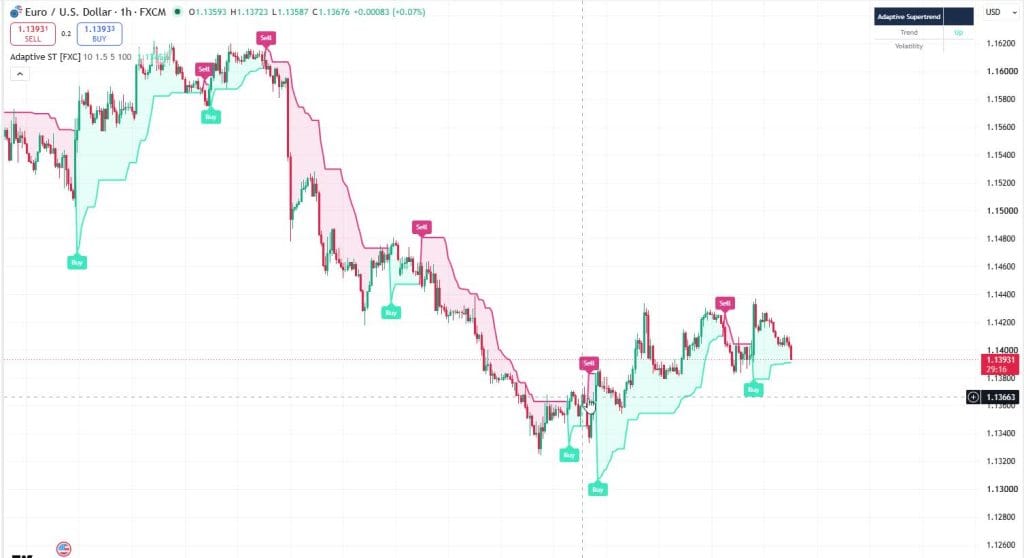
- Shows a live trend and volatility panel, gradient trail, Buy and Sell labels, and alerts
What the Adaptive Supertrend indicator does
A normal Supertrend draws a trailing line using the ATR, and the distance of that line from price is set by one number, the factor. Set it low and you get early signals but constant whipsaws. Set it high and you avoid the chop but you are late to every move. There is no single setting that works in both a quiet range and a fast trend, which is the whole problem.
The Adaptive Supertrend fixes that by changing the factor for you, bar by bar. When volatility is low it uses a small factor so the trail sits close to price and you get in earlier. When volatility is high it widens the factor so a normal pullback does not flip the trend. Same indicator, but it is reading the market instead of ignoring it.
Why the standard Supertrend whipsaws, and what we changed
The fixed factor is the culprit. A factor of 3 might be perfect on trending gold, then that exact setting shreds your account on a rangebound pair the same afternoon. We got tired of re-tuning it per pair and per session, so we made the factor react to volatility on its own.
Here is the mechanic. The indicator ranks the current ATR against its own recent range, which gives a 0 to 100 volatility score. That score is mapped onto a factor between your Min and Max. Low score, small factor, tighter trail. High score, larger factor, wider trail. You still set the floor and the ceiling, but the indicator picks the right spot between them on every candle. That is the difference between a supertrend that fights the market and one that moves with it.
How to add the Adaptive Supertrend on TradingView
- Open the script page: Adaptive Supertrend [ForexCracked].
- Click the star to add it to your favourite indicators.
- On your chart, open the Indicators menu, go to Favourites, and click Adaptive Supertrend [ForexCracked].
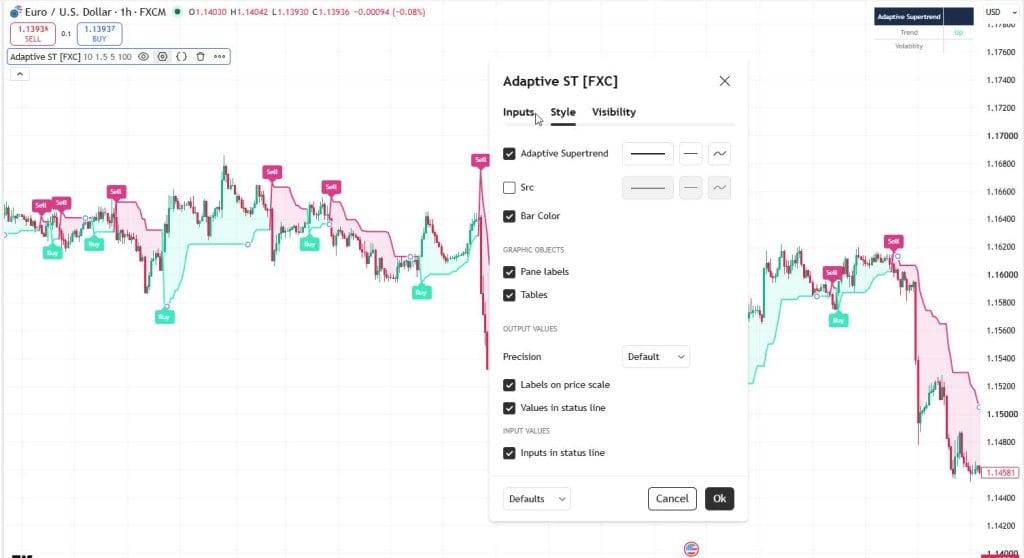
- Open the settings to adjust the factor range and colours.
Adaptive Supertrend [ForexCracked]
![Adaptive Supertrend [ForexCracked]](https://www.forexcracked.com/wp-content/uploads/2026/07/adaptive-supertrend-settings.jpg)
A free, open-source Supertrend for TradingView that adjusts its ATR factor to live volatility, so it whipsaws less in ranges and holds trends cleaner.
Pros
- Adapts its ATR factor to live volatility (nothing to babysit)
- Whipsaws far less in ranges than the standard Supertrend
- Holds real trends longer and flips cleaner
- Built-in dashboard: trend, volatility regime, and the live factor
- Free, open-source Pine v6 that works on any market or timeframe
Cons
- Still a trend tool, so it lags at the exact top or bottom
- In dead-flat chop it can still flip; pair it with a higher-timeframe filter
- Not a full strategy by itself; you add the entries, exits, and risk
Summary
We built this after the standard Supertrend whipsawed us to death in ranges and lagged when real trends finally started. It reads current volatility with a percent-rank of ATR and widens or tightens the factor on its own, so you get fewer false flips in chop and cleaner holds in a trend. The dashboard shows the live factor and volatility regime, so you always know why it is behaving the way it is. Free and open-source.
 Need a TradingView account?The free plan runs this indicator, with charts, alerts and watchlists.
Start free
Need a TradingView account?The free plan runs this indicator, with charts, alerts and watchlists.
Start free

 Built by ForexCrackedWe tested 1,200+ indicators. Then we built our own.Six years of reviewing EAs and indicators went into FXC Fusion: two engines, the seven-panel cockpit, MT4 and MT5, from the team behind this site.
Settings that matter
You only really touch four things:
- ATR Length (default 10): the lookback for the trailing band. Leave it unless you know why you are changing it.
- Min Factor (default 1.5): how tight the trail gets in calm conditions. Lower means earlier signals and a bit more noise.
- Max Factor (default 5): how wide the trail gets when volatility spikes. Higher means fewer false flips and later exits.
- Volatility Lookback (default 100): how many bars are used to judge whether the market is calm or wild right now.
If you want fewer, cleaner signals, raise the Min Factor. If you want to catch turns earlier and you can stomach some noise, lower it. That is most of the tuning you will ever do.
How to trade with it
Treat the trail as your bias and your trailing stop, not a full system. Stay long while the line is teal and below price, stay short while it is pink and above price. Take the flip as a heads-up, not a guarantee, and confirm it with structure or a level before you commit. It works best on trending instruments and higher timeframes like H1 and above, and it struggles in a dead, low-volatility drift like any trend tool does. Always use a stop.
Built by the team that reviews everything else
We build these because we spend our days testing other people’s tools and we know what is missing. If you trade MetaTrader too, grab our free ApexSignalPro SMC confluence indicator (also on TradingView), or browse the full free forex indicators library. New to adding scripts? Here is how to install indicators.
Frequently Asked Questions
Add the Adaptive Supertrend on TradingView
It is free and open-source. Add it to your charts here: Adaptive Supertrend [ForexCracked] on TradingView
Risk disclaimer: The Adaptive Supertrend is an analytical tool. It does not predict price and no indicator wins every trade. Results depend on market conditions, your settings, and your own risk management. This is educational and not financial advice.


Discussion no comments yet
Is this still working?
Nothing here yet
No one has asked anything about Adaptive Supertrend: A Volatility-Adjusting Supertrend Indic yet. First question gets answered.