FXC MA Crossovers
See every moving average crossover, how strong it is, and whether the last ones held.
MT4 and MT5 in one zip. No sign-up, the file downloads straight away.
- Use it on as many accounts as you like, demo or live
- Every update free, and your chart tells you when one is out
- Chart template in the zip, ready to load
Moving average crossover indicator
FXC MA Crossovers is a moving average crossover indicator for MT4 and MT5. It draws a fast and a slow moving average, and an arrow on each cross once its bar has closed. A panel shows how strong the cross is, how the last 12 went, and each timeframe's side.
Each timeframe has its own pair of moving averages. At the defaults that's EMA 5 and SMA 20 on M1, EMA 20 and SMA 50 on H1, and EMA 50 and SMA 200 on D1 and up, and you can change any of them. Move the chart to another timeframe and the lines, arrows and alerts use that timeframe's pair.
An alert comes at the open of the bar after a cross, by popup, sound, email or push. It does not place trades. It shows you the cross, and you decide.
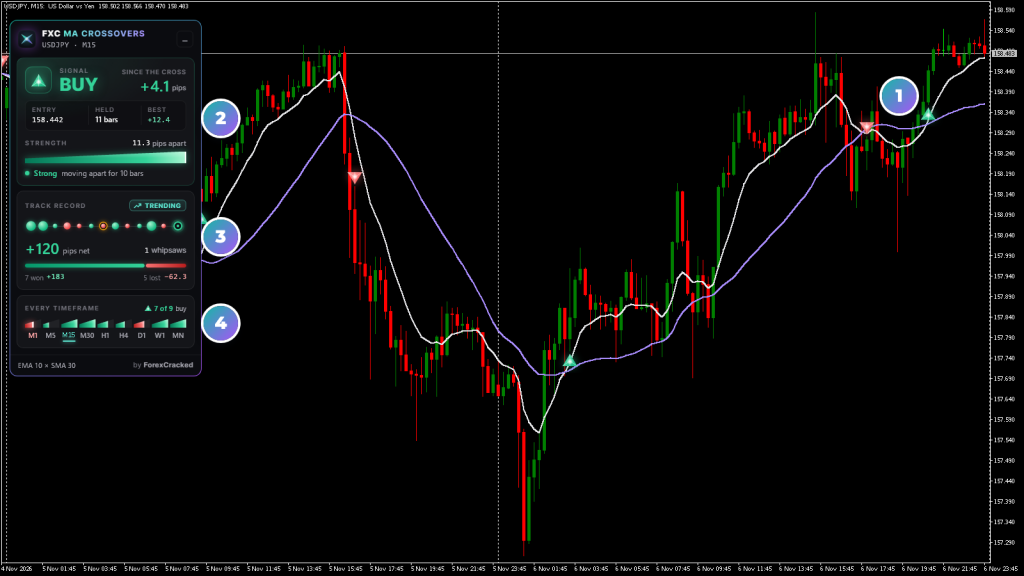
- 1The crossAn arrow on the bar where the fast moving average closed over or under the slow one.
- 2Signal and strengthThe side since the last cross, the pips since then, and how far apart the two lines are.
- 3Track recordThe last 12 crosses, each held to the next cross: won, lost or whipsawed.
- 4Every timeframeM1 to monthly, each on its own pair, filled to its own strength.
Moving average crossover indicator on real charts, every week
How to read the crossover panel
Read the signal first, then its strength. Hover anything on the panel for the numbers behind it.
How to use FXC MA Crossovers
You don't have to pick moving averages to start: the chart's timeframe sets the pair, and the lines, arrows and alerts all use it.
- 1Add it to your chart. The two lines and the arrows draw on the main chart, and the panel sits top left.
- 2Read the signal card. It shows the side since the last cross, where that cross closed, and how far apart the lines are now.
- 3Check the track record. Beads with amber rings, or a Choppy chip, mean the last crosses were undone within a few bars.
- 4Look across the timeframes. Each ramp shows which side that timeframe is on, on its own pair, and the count says how many agree.
An example, on EURUSD H1. The EMA 20 closes over the SMA 50. An arrow prints under that bar, the alert comes as the next bar opens, and the card turns to BUY with that bar's close as its entry. HELD starts counting from there. While the bar was still forming, the card read Crossing and counted down to the close.
A cross is a reading, not an instruction. It places no trades, and the decision stays yours.
Default moving averages by timeframe
Each timeframe runs on its own moving averages, so a one-minute chart and a daily chart aren't read with the same pair. Every period and method is an input you can change.
| Timeframe | Fast MA | Slow MA |
|---|---|---|
| M1 | EMA 5 | SMA 20 |
| M5 | EMA 8 | SMA 21 |
| M15 | EMA 10 | SMA 30 |
| M30 | EMA 12 | SMA 40 |
| H1 | EMA 20 | SMA 50 |
| H4 | EMA 20 | SMA 100 |
| D1, W1, MN | EMA 50 | SMA 200 |
MT5's extra timeframes use the next pair up: M2 to M4 use M5's, M6 to M12 use M15's, M20 uses M30's, H2 and H3 use H4's, and H6 to H12 use the D1 pair.
Moving average crossover features
A pair for each timeframe
Seven sets of fast and slow moving averages, from M1 to D1 and up. Each period and method is yours to change.
Arrows on closed bars
An arrow prints when a bar closes with the fast moving average across the slow one, its tip on that bar's low or high.
The strength of the cross
A ramp shows how far apart the lines are against ATR 14, and a word says if they're moving apart or closing in.
The last 12 crosses
Each cross held to the next, as beads: green won, red lost, bigger for more pips, an amber ring on a whipsaw. Before costs.
All nine timeframes
M1 to monthly on one panel, each on its own pair, for the chart's own symbol, and a count of how many agree.
Moving average crossover alerts
One alert at the open of the bar after a cross. Popup by default, with sound, email and push as options.
Does not repaint on closed bars
An arrow stays once its bar has closed, at an MA Shift of 0 or more. The lines and the panel move with the live bar, as any moving average does.
Crosses in buffers
Buy and sell crosses sit in buffers 2 and 3 on both platforms, on closed bars only, so an EA can read them.
FXC MA Crossovers: questions, inputs and versions
Questions about FXC MA Crossovers
Is it really free?
Yes. It is yours to keep, on MT4 and MT5.
Does it place trades for me?
No. It is an indicator. It shows you the picture, and you place the trade.
Do I need an account?
No. The download starts straight away. You need one to leave a review.
Do the arrows repaint?
No, at an MA Shift of 0 or more. An arrow is decided on a closed bar, so once its bar closes it stays. The lines and the panel move with the live bar until it closes, as any moving average does.
Can I use my own moving averages?
Yes. Each timeframe has its own fast and slow period and method, with SMA, EMA, SMMA and LWMA to choose from, and one applied price and shift for them all.
Why is a timeframe empty on the panel?
It doesn't have enough bars yet. A timeframe needs its slow period plus 3, so 203 bars on D1 and up, about 17 years on the monthly. On MT5 the panel asks for them, around 200 MB the first time on a pair. Rows can blink or go empty while they load, for a few minutes on a fast server and longer on a slow one. A broker with less history leaves that timeframe empty.
Can an EA read the crosses?
Yes. Buffer 2 holds the bar's low on a buy cross and buffer 3 the bar's high on a sell, on closed bars only. Buffers 0 and 1 are the two moving averages.
FXC MA Crossovers inputs
FXC MA Crossovers versions and changelog
- 1.007 Nov 2026Latest
- New: first release.
Before you download: installing FXC MA Crossovers
- A computer or a VPS. The MetaTrader phone apps can't run custom indicators.
- Allow DLL imports. The update check uses it. The chart template in the zip already has it on.
- In the zip: the MT4 and MT5 files and a chart template.
More help: How to install EAs and indicators in MT4 and MT5.
Download the zip and follow the guide. At the end, load the chart template FXC MA Crossovers.
Install guideFXC MA Crossovers reviews
Requests for FXC MA Crossovers
Vote on what we build for FXC MA Crossovers next, or add your own idea.
No requests for this one yet.
Adding a request takes a free account. We read every request first, so yours shows here once it's on the list.
An idea for a new indicator or EA? Ask on the roadmap
More trend tools
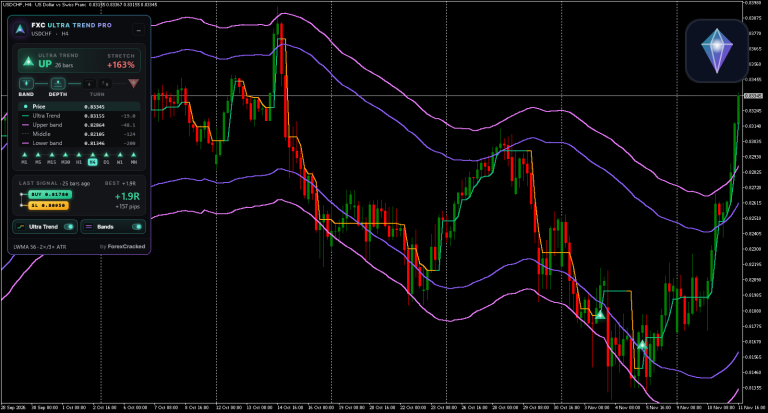

Ultra Trend Pro
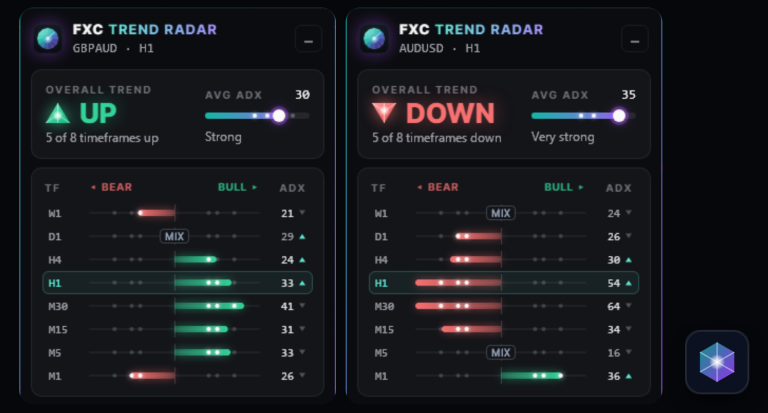
Trend Radar