

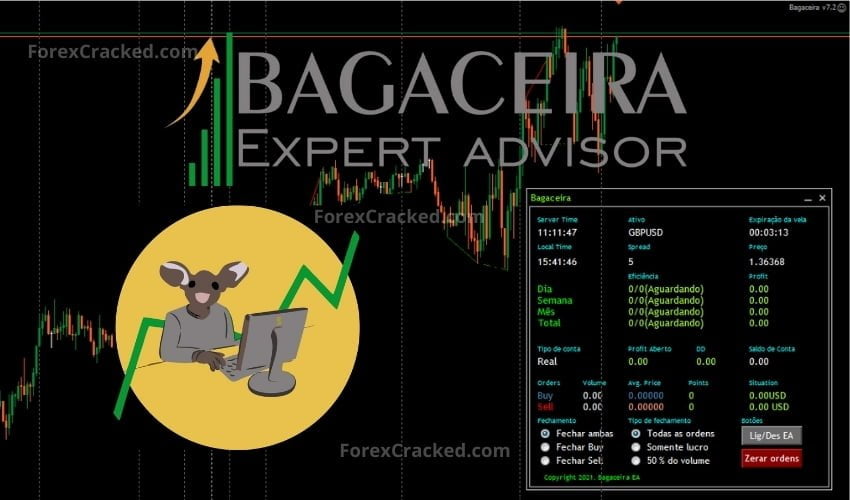
Bagaceira EA is a fully configurable forex robot usually being sold for 299$. This EA intelligent automatic algorithm, made to trade in several different currency pairs, based on a large number of configurable parameters, intelligently find the best entry and exit points in your trades.
With the optimization feature, boost your strategic possibilities with EA Bagaceira, let it find the best strategic combinations through its high-performance artificial intelligence.
Please test in a demo account first for at least a week. Also, Make yourself familiar and understand how Bagaceira Robot works, then only use it in a real account.
Recommendations
- Minimum account Balance of 1000$ .
- Work Best on EURUSD, GBPUSD, XAUUSD (Work on any pair).
- Work on any Timeframe.
- To reach stable results, the Bagaceira EA should work 24/7 on VPS. So we Recommend running this free forex EA on a reliable VPS (Reliable and Trusted FOREX VPS – FXVM)
- Low Spread ECN account is also recommended (Find the Perfect Broker For You Here)


Bagaceira EA

A configurable forex robot that trades several currency pairs using many adjustable parameters to pick entries and exits, with an optimization feature for testing setting combinations.

 Built by ForexCrackedWe tested 1,200+ indicators. Then we built our own.Six years of reviewing EAs and indicators went into FXC Fusion: two engines, the seven-panel cockpit, MT4 and MT5, from the team behind this site.
Your download will start automatically. If it doesn’t, click here.Right now a download can take up to a minute to start. Please wait a moment, or use click here.


Discussion 23 comments
Is this still working?
Hi admin i cant use it in 1420 version please update this EA thank you admin
Please update to version 1420
maritingale , DD high
i like this ea
where i should paste the ”data” folder? i don’t understand why i have an error.
It works well in demo for 10 trading days. I have to check is it works in real account.
bonjour je teste se produit en se moment j ai remaquer que il ne peut pas compenser buy et sell en meme temp c est bien sa ???
Very Dangerouse EA. High risk of blowing the account. Uses dangerouse martingale strategy!
no dangerous……your deposit verry small
Very good EA its making me profit !!
is it working on real account ,because license say demo
yes it works on real account you just need to adjust some settings change de lots 0.01 to 0.05 and put 3 or 4 trades max
I mean 0.01 and 0.05 instead of 0.15 and the multiplier to 1.1 instead of 1.5 .
many set file. which one is best?
the dumbest EA i ever seen , put one buy and one sell same time
purtroppo sei un ignorante in materia cambia lavoro
ahahahah bella !
is it working in real account ,it works on demo
Data files go in the Library folder? I keep have an error when I’m backtesting: “write file error” anyone knows what to do?
Just copy it in the expert folder
Does it work on real account, because it says in license demo
Legit
Where to put the data folder?