Free EA Set Files for MT4 & MT5
1,123 set files for 193 expert advisors and indicators on ForexCracked. Most came out of the EA's own download package; the rest were shared by readers in the comments. Search by EA name, pair or timeframe, look at every input before you download, then load the file into MetaTrader in a few clicks. We don't test these settings, so run any of them on a demo account first.
This is not the full library. Only the 193 EAs and indicators that come with set files are listed here. Looking for an EA or indicator itself? Browse everything.
Browse 570+ free EAs Browse 690+ indicatorsSet files by EA · Most popular first
Signalspro007 EA V12.1
PROP FIRM EA V2
Best Gold Robot
FXCORE GOLD EA V12
Scalper AvtomatFX EA V6
Benefit EA V5.1
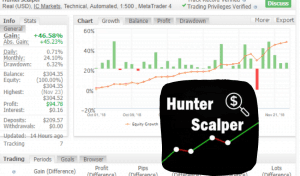
Hunter Forex Scalping Bot
Promax Gold EA
ORACLE EA 2.0 Automated Forex Robot
SWING VIP Robot V3
Vision Scalper EA
Best Scalper EA
Galaxy Gold Scalper
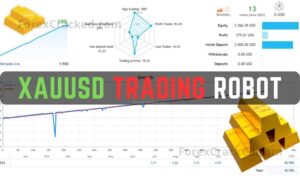
XAUUSD Trading Robot
Best FTMO Passing Robot
EAPASSING US30 EA
Royal Hedge Fund Robot for MT4
Hamster Scalping EA
MasterScalper PRO EA
Breakout Master MT4/MT5 EA
RED FOX EA
Atlantian EA V2 Gold Robot
Brilliant Pro EA V4.2
Best Forex Scalping EA
Good Profit No Loss EA
AlgoTradeSoft Innovative EA
Ultimate Forex Expert Advisor V1.81
FireStorm Odin EA V3
AnEasierWaytoTrade Swing Trader EA MT5
Hannah EA
Forex Trade Manager MT4
Low Risk EA for MT4
FireStorm Scalper EA V5
Gold Scalping Pecker EA
North East Way EA MT4/MT5
Night Profit EA 2
EA for Passing FTMO and Other Prop Firms
CyNera EA
Mission Profit EA
HFT Forex Scalper MT4
Infinite Storm EA
Dark Venus Scalping MT4 Robot
Silicon Falcon Expert Advisor
Alpha Gold MT4 Robot V5
FTMO Prop Firm Passing MT5 EA
Gold Trading SMC EA
Panda Hedging
Best BITCOIN Robot
Scout Gold EA V9
Galaxy EA MT4/MT5
Fondex High Frequency EA MT4
Super Hedge Forex Robot
Winner FX TSR V7 EA
Swing Killer Trading Expert Advisor
Vibrix Price Action EA
Candlestick EA
Quantum Ticks EA
Bitcoin Wizard
Fibot Fibonacci EA
The Assar Phoenix Elite Robot
Supply Demand EA
Dark Scalping MT4 EA
IS Black Forex Robot
Bitcoin EA V1.2
Punisher Scalper EA
Golden Mammoth Forex EA
Mean Reversion Trading EA
Barclays EA V3.2
Automatic News Trader EA
Trend Dragon EA MT5
QUANTUM F3 EA MT4 Expert Advisor
IS RED MT4 EA
Marvelous Forex Trading EA
Bagaceira EA
Dark Gold EA
Magic Blue Automated Forex EA
Mastermind Grid Trading EA
SRF Pro EA
SebTRI Correlation Hedge Scalper EA
GAP and TRAIL EA
Cobra Adrenaline EA
BenderFX V4 Forex EA
Han EA MT4 Fast Scalper
Gold Sand Forex Expert Advisor
Impact ScalpX MT4 EA
FX Hunter EA
Advanced Automated Forex Robot V12
Breakfast in Canada EA
Profitable MT4 Gold Forex Robot V2
Dark Mimas Highly Customizable EA MT4/MT5
EA CLASICO EA
Best Correlation Forex EA
ForexHub System for MT4
Pinpoint EA
Neurotron EA MT4
Fast Growing MT4 Forex Robot
Automate Indicators, Trade Assistant, and Full Auto Mode
White Dragon EA
IS Best Gold EA MT4
Silver Moon EA
DJ Market Pro X20 Delta Gold Indicator
Salamander Gold Forex Robot
XO FOREX TRADING ROBOT
Dead Zone Scalper EA
Ind Scalper Forex EA
VR Lollipop
Gold Trading EA for Prop Firm
Andalan Trade EA
FrankoScalp
Multi-Currency Automated Forex Trading Robot
Perkasa MT4 Forex Expert Advisor
Greezly Bot Pro EA
Leopard Scalper
ChatGPT Forex Robot
Assar Phoenix Infinity EA
Advanced Hedge EA
Stable Forex Robot
Tik Capital MT4 Forex Bot
Best Day Scalper EA
Monopolist Scalping Expert Advisor
Price Action Breakout Robot
Hunting Cat MT4 Scalper
XXX777 Avtomat FX EA
Best Scalper EA MT4
Awesome Scalper Pro MT4 Forex EA
FundedEA
Quantum Algo Trading EA
Super Turbo Expert Advisor
Dax40 Index EA
DOW and DAX Forex EA
Forex Auto News Trading Robot
Twilight Trader
Forex Armor Safe MT4 EA
QUANTUM FX EA
IS Lime EA
Silver Kangaroo Forex EA
Best Smart Money EA
SHREDER MT4 Forex EA
STIRPROFIT X MT4 Trend Robot
Especulador Scalper EA
Fantastic Scalper MT4 Bot
IS New Project
Momentum Forex Trading Expert Advisor
Golden Jet Fighter
Weekend Trader Forex Robot
Profitable Scalping MT4 EA
Gold Auto Trading MT4 EA
Engineer Forex EA For MT4
Pending Order EA
Day Trader
Mad Max Forex Robot MT4
Titan Diamond EA
Mesh Forex Trading Advisor
Gold Breakout EA
The Infinity EA
Forex Gap Trading EA
Gold Nova EA MT4
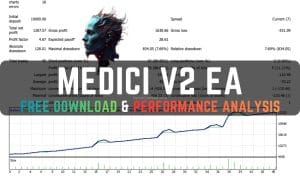
Medici Forex EA
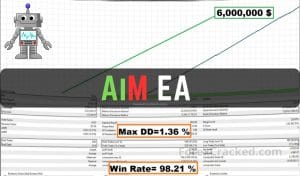
AIM EA
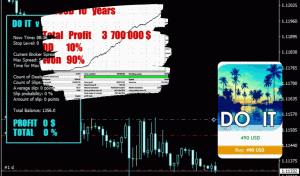
Do IT
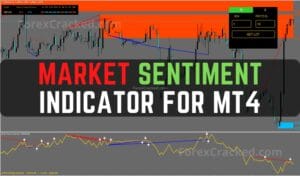
Market Sentiment Forex Indicator for MT4
Tokyo USDJPY EA
Trend Profiteer Complete Trading System
Stability MT4 SCALP EA
Aggressive Forex EA
Martini
Evening Scalper Algo Trader EA
Elite Tactics EA
Bitcoin Trading Crypto Robot
Breakthrough Strategy Forex Bot
VR Grid Trading Robot
Low Volatility Trading EA
Forex Smart Grid EA
Sure Pips MT4 Robot
Trend Following Multi-Currency MT4 EA
VantaFX EA MT4
Alpha Trend Trading EA
TopGun EA
MT4 Breakout Level EA
Steady Profit EA
Hippo Trader
Gold Hitter EA MT4
Monarchal Algo MetaTrader 4 Expert Advisor
Eternal Engine EA
Silent Falcon EA
Apex Day Trading Forex Bot MT4
Quantum Profile TIO Indicator
Breakout Index Trading EA
Forex Momentum Capture
Equilibrium Trader
Bands Sniper
Adaptive Forex Trading EA
No set files match that.
Search looks at EA names and at every filename, so a pair (EURUSD), a timeframe (M15) or a word from a filename (LowRisk) all work. Try fewer words, or clear the pair filter.
Using a set file
What the file is, how to load it in MetaTrader 4 and 5, where these ones came from, and the four things worth checking before an EA trades with somebody else's settings.
What is an EA set file?
A set file (.set) is a saved copy of an expert advisor's inputs: lot size, stop loss and take profit, grid step, trading hours, and whatever else the developer exposed. MetaTrader reads it straight into the EA's Inputs tab, so you can move an EA between a low-risk and an aggressive setup, or from EURUSD to gold, without retyping forty values.
It holds no code. Loading one changes the numbers the EA starts with and nothing else, which is also why a set file only fits the EA it was made for: the names on the left have to match the inputs that EA has.
Lots=0.10000000 MaxLot=5.00000000 Risk=1.00000000 StopLoss=500 TakeProfit=25 TrailingStop=0 Step=50 Slip=30
How to load a set file in MT4 and MT5
MT4MetaTrader 4
- Download the
.setfile. Optional: copy it into File › Open Data Folder › MQL4 › Presets so it is there next time. - Drag the EA onto a chart of the pair and timeframe the file was made for. The name usually says, for example
EURUSD_H1. - In the window that opens, go to the Inputs tab and press Load.
- Pick the file and press OK. Check the lot size before you do; it is the input most worth changing.
MT5MetaTrader 5
- Download the
.setfile. Optional: copy it into File › Open Data Folder › MQL5 › Presets. - Drag the EA onto the chart the file was made for.
- Open the Inputs tab and press Load.
- Pick the file and press OK. MT5 files carry optimiser ranges after the value; MetaTrader reads only the value.
An MT4 set file belongs with the MT4 build of the EA and an MT5 file with the MT5 build. If nothing changes after you load one, the file was made for a different version of the EA: MetaTrader keeps its defaults for any input name it cannot match.
Official files and reader files
Shipped inside the EA's download package. We took them out of the zip unchanged and listed them here, so you can see the inputs without downloading the whole package first. Nobody uploaded them, so they carry no name.
Attached to a comment on the EA's post by a signed-in reader, usually with a line about the broker and how it went. They show who shared them and when, and they are moderated with the comment. We test neither kind.
How downloads are counted
A download counts when the file is actually served, not when someone clicks. The same visitor taking the same file again within six hours counts once, and search crawlers and link previews never count. Opening the preview is not a download. Official files started from zero when they were added in October 2026, which is why most numbers here are still small.
Before an EA trades with one
A set file is tuned on one broker's prices, one account size and one stretch of history. Run it on a demo account first, and check four things:
- Lot size against your balance. A file made for a $10,000 account opens the same lots on $500.
- Trading hours. Hour inputs follow the broker's server time, which differs from broker to broker.
- Points or pips. Stops written in points on a 5-digit broker are ten times smaller on a 4-digit one.
- The symbol name. If your broker calls it
EURUSD.morGOLD, inputs that list symbols need the same spelling.
Share a set file that works for you
Open the EA's post, sign in, and attach your .set to a comment with a line about the broker, the account and how it has done. Once the comment is approved, the file appears on that post and on this page with your name on it, and its downloads are counted the same way.
Questions
Where does MetaTrader keep set files?
MQL4\Presets for MT4 and MQL5\Presets for MT5. Open it from File › Open Data Folder. Load opens that folder first, but it will read a file from anywhere.Can I use an MT4 set file in MT5?
Are these set files safe to open?
Which set file should I start with?
EURUSD H1 or LowRisk.