

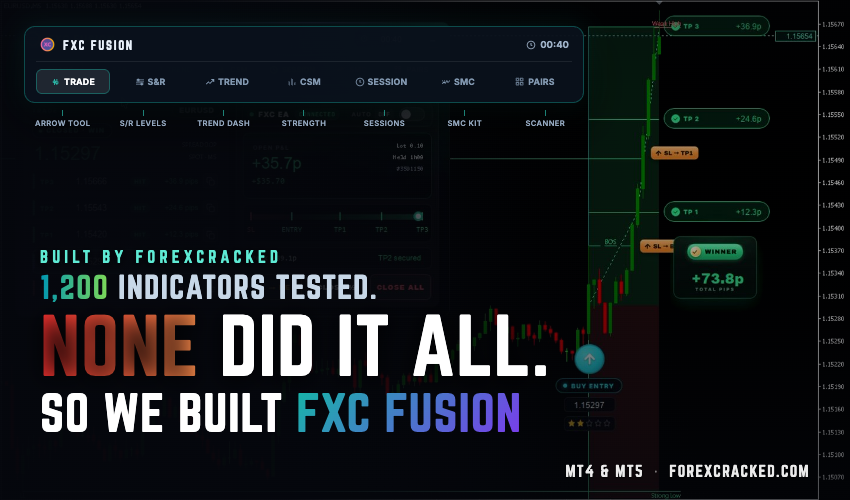
For six years, ForexCracked has been where traders come to download and test other people’s tools. More than 1,200 indicators and expert advisors have passed through this site, and every one of them was installed, run and written up before it was published.
FXC Fusion is the first tool we built ourselves rather than reviewed. It runs on MetaTrader 4 and MetaTrader 5.
This article covers what it is, why we ended up building our own, how the signal engine decides on a trade, what each of the seven cockpit panels reports, what a full trading session with it looks like, and how the optional Auto EA executes.
Why we built our own
Testing that many tools teaches you what the category gets wrong. Most retail indicators are one of two things: a signal-only arrow tool that fires and tells you nothing about conviction, or a dashboard that reports market conditions but never commits to a trade. Traders end up bolting several of them together and reconciling the contradictions by hand.
The other recurring problem is volume. An indicator that fires a dozen arrows a day is not finding a dozen opportunities, it is lowering its threshold until something appears. That produces activity, not an edge.
FXC Fusion was built around the opposite constraint. It waits for one specific condition, scores it, and either commits to a full trade plan or stays quiet. The dashboard and the signal engine are the same system, so the panels explain the signal instead of sitting next to it.
Traders arriving from conventional arrow tools may find the longer version of this argument in The Problem With Forex Arrow Indicators useful.
The seven cockpit panels
The dashboard is not a separate feature bolted onto the engine. Both read the same analysis, so the panels explain why a signal fired or why the chart stayed quiet.
All seven sit on one chart in a draggable dashboard. Traders currently running separate tools to cover this ground can compare against this breakdown of the all-in-one approach.
Why trust a brand-new indicator
Because of who built it. FXC Fusion comes from the ForexCracked team, real traders with more than ten years each, on the back of six years of running this site. In that time we have tested over 1,200 indicators and expert advisors, delivered more than 2 million free downloads, and we serve over 100,000 traders every month. Everything we learned about what quietly works, and what does not, went into Fusion.
It is in closed beta now. As the launch gets closer we will share real signals, the losers included, so you can judge it on the process and not on a marketing number. We will never publish a win rate we cannot stand behind.
What a full session looks like
Below is one complete trading session from the live account we run FXC Fusion on, with the Auto EA connected across 14 pairs. Every closed trade from the session is in it, winners and losers both.
One full session: 41 trades closed across 14 pairs. Pips are as traded; dollar figures are scaled to a uniform 0.10 lot so every pair is comparable. Open positions excluded, net of commission and swap. Gold and crypto pips normalised to $0.10 and $1.00 per pip.
See FXC Fusion →Two notes on reading it. Pips are reported exactly as traded and do not change with position size. The dollar figures are scaled to a uniform 0.10 lot so every pair in the session is directly comparable, which the block states on its face. The session peaked around $440 and closed near $360, and that giveback is left in the curve rather than cropped out of it.
We publish losers alongside winners because the alternative is a marketing number, and a marketing number is worth nothing to anyone deciding whether to trust a tool. For a trade-by-trade walkthrough of how a session actually unfolds, see A Day With FXC Fusion.
The optional Auto EA
For traders who would rather not place each order by hand, the Auto EA add-on executes the signals the indicator produces. It is genuinely optional and the indicator is complete without it.
- One click – The full plan, entry with stop loss and all three take-profit levels, placed from a single button.
- Semi-automatic – Every signal is presented for confirmation before it goes live, so you approve each trade without placing it manually.
- Fully automatic – Runs inside filters you define: permitted sessions, permitted pairs, risk per trade, and a daily maximum.
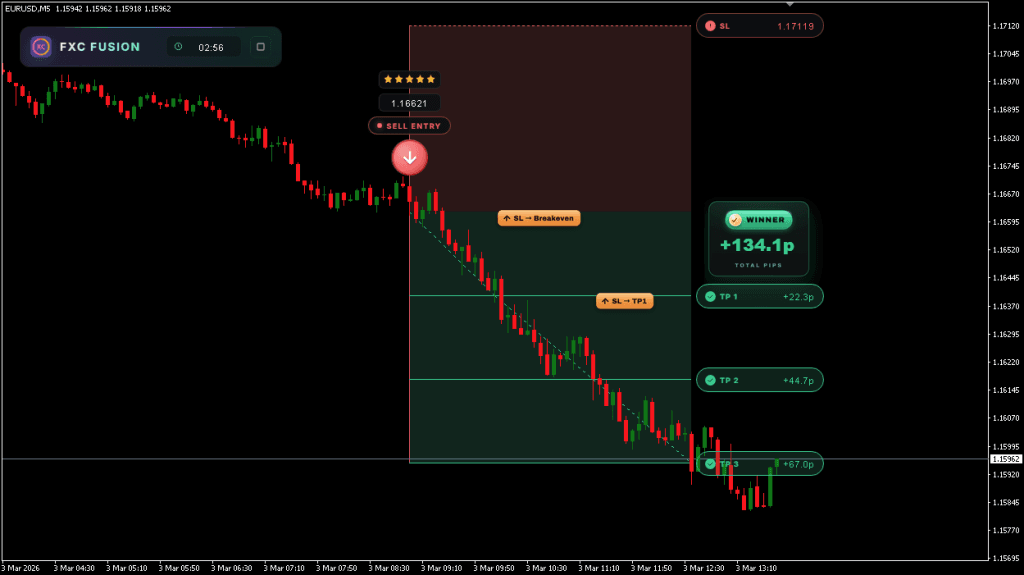
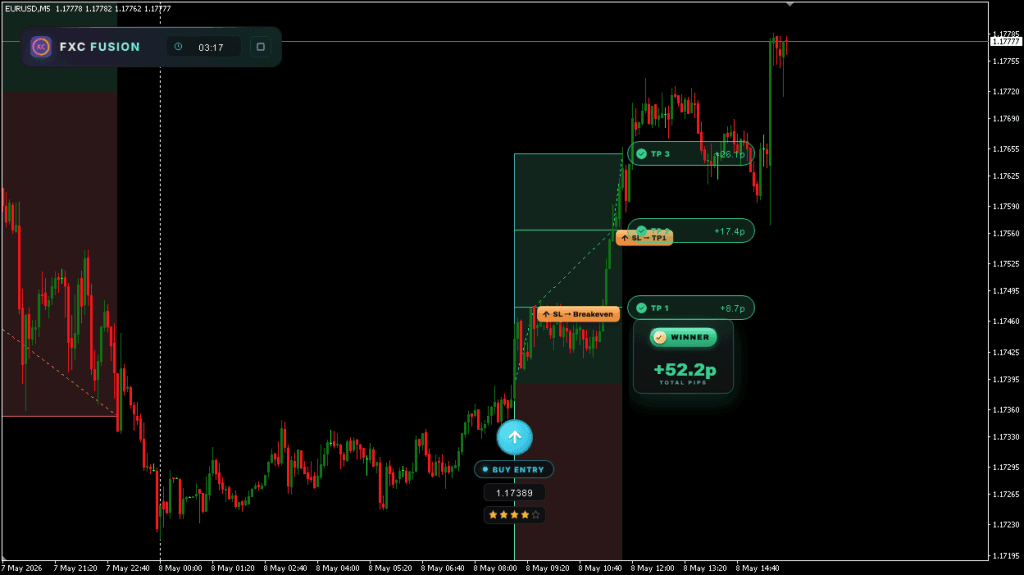
Each signal is executed as three legs sharing one entry, with take-profits laddered so the nearest closes first and the stop trails to break even behind it as the move develops.
Trading with it
- Read the cockpit before the window opens. Multi-timeframe trend, currency strength and SMC structure give you the day’s context ahead of the 07:00 UTC window.
- Wait for the graded signal. At most one per pair per day. There is no benefit to forcing an entry outside it, and the tool is not designed to give you one.
- Read the grade, not just the arrow. A Q4 or Q5 setup carries the same drawn plan as a Q1 but not the same conviction, and position sizing should reflect that.
- Take the plotted plan or leave it. Entry, stop and three targets are already on the chart. Your decision is whether to act, not where to place anything.
- Manage the ladder. The three targets are laddered by distance, designed for partial closes at the nearer levels with the stop moved to break even behind them.
FXC Fusion works on any Forex pair and on other assets including indices, commodities, metals and cryptocurrencies. The consolidation logic and the evaluation window are built around intraday charts. As with any tool, what it produces is the starting point for a decision rather than a replacement for one, and results depend on the risk rules applied around it.
One trade a day, or more if you want them
One graded signal per pair per day is the default, and it is deliberate rather than a ceiling we never got around to raising.
It is also not the only way to run it. A second signal engine is in development that trades at normal frequency, producing multiple setups a day, scored on the same Q1 to Q5 scale and wired into the same cockpit and the same Auto EA. It is something you switch on when you want more setups, not a different product. Enough traders asked for it that it moved to the front of the queue.
Two things worth being direct about either way. Fusion assumes you want to understand the trade, because the panels are there to be read, and a trader who only wants an arrow with no context is paying for most of the tool and using a fraction of it. And the full cockpit takes chart space, so it suits a reasonable screen.
The tool you buy is not the tool you keep
Most indicators go quiet after launch. Fusion has shipped repeatedly since its first release, and every update has gone to every existing licence at no extra cost. That includes the second signal engine, the trade assistant, and everything else on the roadmap.
We keep the full record public rather than asking anyone to take that on trust. Every version, what changed in it, and what is being built next is listed on the FXC Fusion changelog, newest first.
The roadmap on that page is also open. The last slot on it is left for whatever licence holders ask for next, and several shipped features got there that way.
Why it is released in limited drops
FXC Fusion is not sold continuously. It goes out in capped batches, and when a batch is gone it closes until the next one opens.
The reason is mechanical rather than promotional. The engine trades expansion out of consolidation, which places stops in structurally similar locations across everyone running it. If a very large number of accounts sit on the same level with the same stop, that cluster becomes a target in its own right. Capping how many licences are in circulation keeps those levels from getting crowded.
Current availability and pricing are below and update automatically.
Common questions
Does FXC Fusion repaint?
No. Signals are evaluated on candle close and the plotted entry, stop and take-profit levels stay where they were drawn. Nothing moves as later bars arrive.
How many signals will I get?
On the default engine, at most one per pair per day, evaluated between 07:00 and 10:30 UTC. Monitoring more pairs gives you more opportunities, but it will not produce a second signal on the same pair in a session. A second engine running at normal frequency, with multiple setups a day, is in development and included free when it lands.
Can I use it on Gold and crypto?
Yes. The consolidation and breakout logic is not currency-specific and applies to metals, indices and cryptocurrencies. Volatility differs a lot across those assets, so size accordingly.
Do I need the Auto EA?
No. The indicator produces the complete trade plan on its own and many traders prefer to execute manually. The Auto EA adds one-click, semi-automatic and fully automatic execution for those who want it.
Does one licence cover both MT4 and MT5?
Yes, and updates are included for as long as you hold it.
Is it suitable for scalping?
The default engine is not, since it is selective by design and produces a small number of graded setups per session. The second engine in development changes that, running at normal frequency on the same scoring and the same cockpit. Traders who want higher-frequency tools right now can start with the free MT4 indicator collection.
Are updates included?
Yes, for every licence, with no upgrade fee. What has shipped and what is being built next is listed on the changelog.


Discussion 6 comments
I’m interested in the indicator, but the strategy it uses to plot the signals isn’t clear to me. Where can I get a good look at how it works?
Are there any proven results to be seen anywhere? Profit percentage etc.
Could anyone who bought it please leave a review?
Yeah i bought it so happy to leave one. Been using it a while and its been great. Signals are solid but the support is what really stands out, they reply fast and actually help you out. Fixed my bugs quick and even added a feature just for my use case which i didnt expect. Keeps getting updates too. Getting more than i paid for tbh. Would recommend.
Really ornpaid actor?
Hello. Can I ask about it ForexCracked’s Own and can I experience (trail) it? Thank you.