
FXC Harmonic Patterns
A harmonic pattern scanner: where each pattern should end, before price gets there, and the close that confirms it.
Card or PayPal. Your licence key shows on screen and comes by email.
- Use it on 5 MT4 or MT5 accounts
- MT4 and MT5 files on one licence
- Every update free
- 14-day refund, whichever way you pay
- Help within 24 hours, 24/7. Ask a question
- No sponsor messages on our free indicators
Harmonic pattern scanner for MT4 and MT5
FXC Harmonic Patterns is a harmonic pattern scanner for MT4 and MT5. It finds ten harmonic patterns on your chart and on up to 40 markets on three timeframes, and shows where each one's D should end before price gets there.
That zone, the PRZ, is where the pattern's ratios for D overlap, with a limit past which the pattern is dead. In the zone it waits for a close above the highest high of the 2 bars before it (below the lowest low for a sell). Only that close makes a signal, with its entry, a stop past the limit and two targets. Signals are decided on closed bars, and a printed signal never moves.
On the chart it works as a harmonic pattern indicator: legs, zone, limit and trade. The dashboard shows this chart's pattern, the markets with a zone, nearest first, and the last 50 signals in R, each traded to TP1 or the stop, the spread taken off. Its Scanner button opens the FXC Scanner window. It finds patterns and their zones. It doesn't say which will work, and it doesn't place trades.
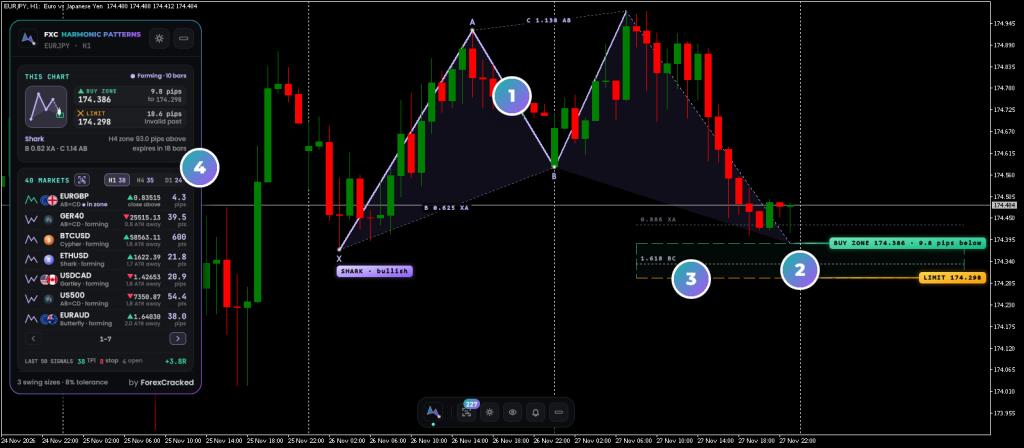
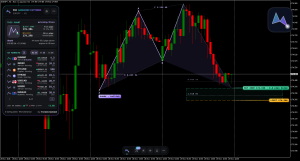
- 1The forming patternThe legs X-A, A-B and B-C, C-D dotted toward the zone, and the B and C ratios on their chips.
- 2The buy zoneWhere D should end, drawn ahead of price, with BUY ZONE and its distance at the right edge.
- 3The limitThe amber line past which the pattern is dead. The stop sits just beyond it.
- 4The dashboardThis chart's pattern with its zone and limit, then the markets with a zone, nearest first.
Harmonic pattern scanner on real charts, every week
How to read the harmonic dashboard
The card at the top is this chart: read its status word first. The list under it is the harmonic scanner, one tab per timeframe.
How to use FXC Harmonic Patterns
From a zone in the scanner to the close that confirms it, on the chart you trade.
- 1Add it to your chart. It reads this chart's last 5,000 closed bars, then every market your broker has of its 40 on your timeframe and the next two.
- 2Pick a zone from the list. Patterns already in their zone come first, then those forming: "0.4 ATR away" means price is 0.4 of an ATR from the zone's near edge. A click opens that market and timeframe on this chart.
- 3Read the zone before price gets there. BUY ZONE or SELL ZONE gives its edge and distance, LIMIT the price past which the pattern is dead. The card names the patterns that agree and the higher timeframe's zone.
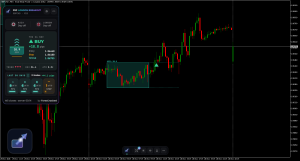
- 4Wait for the close that confirms it. In the zone, CLOSE ABOVE (CLOSE BELOW for a sell) is the close it needs, within 10 bars of D. That close prints the arrow, with a stop past the limit and TP1 and TP2.
It finds the zone and the close, not which pattern will work. The trade it draws is a reading, not an order: the decision stays yours.
Harmonic scanner features
Ten harmonic patterns
Gartley, Bat, Alt Bat, Butterfly, Crab, Deep Crab, Shark, 5-0, Cypher and AB=CD, on swings of 5, 10 and 20 bars each side. Switch any pattern or swing size off.
The zone before price gets there
Each pattern's PRZ, where its ratios for D overlap, drawn ahead of price with its distance, and the limit past which the pattern is dead.
A close confirms the signal
In the zone, a signal needs a close above the highest high of the 2 bars before it (below the lowest low for a sell), within 10 bars of D. It comes with an entry, a stop past the limit, TP1 and TP2.
Decided on closed bars
The live bar never decides anything. Once printed, a signal's arrow, entry, stop and targets never move.
40 markets, three timeframes
The 28 pairs, gold, silver, two oils, six indices, BTC and ETH under your broker's names, on your timeframe and the next two, nearest a zone first.
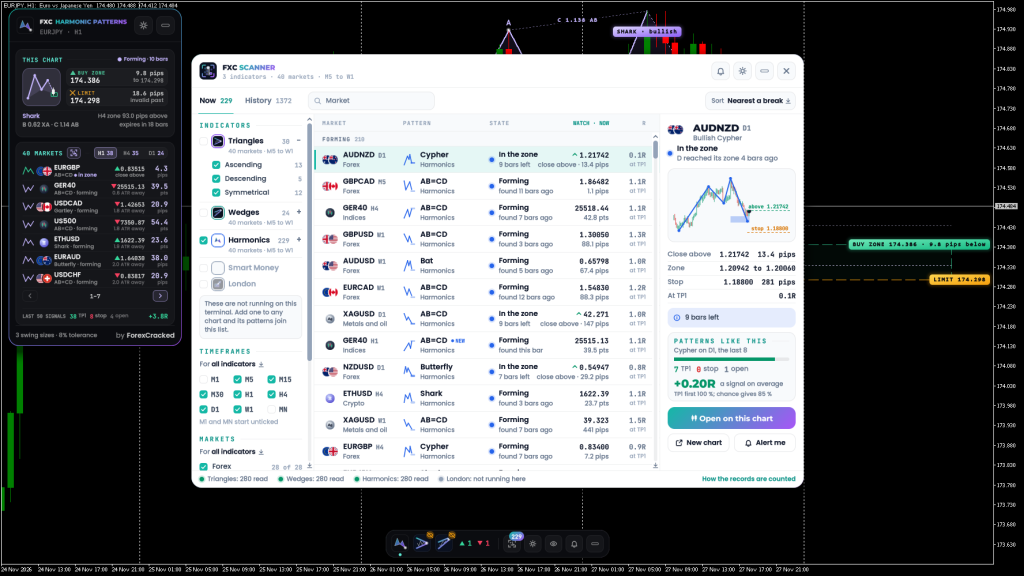
The FXC Scanner window
Every FXC pattern indicator on your terminal in one list, Harmonic's rows in blue: nine timeframes, filters, Now and History. Open it from the dashboard or the FXC Dock.
The last 50 signals in R
Per tab: how many reached TP1 first, the stop first or are open, and the net R of those decided, each traded from its confirming close with the spread taken off.
Alerts
A zone reached and a confirming close on this chart, and the signals on every market scanned on your timeframe. Forming patterns too, if you want. Popup, sound, push or email.
FXC Harmonic Patterns joins the FXC Dock and Scanner
 The FXC Scanner
Its scanner is the FXC Scanner: one window with every FXC pattern indicator on your terminal, Wedge Patterns, Triangle Patterns and London Breakout included.
- 40 markets, 9 timeframes. What is forming or breaking now, nearest a break first.
- History, with a record. The last 50 of the same pattern: how many hit the target, in R.
- Open on this chart. One click puts that market and timeframe on your chart.
 See the Scanner first, free. FXC London Breakout fills the same window with its breakouts.
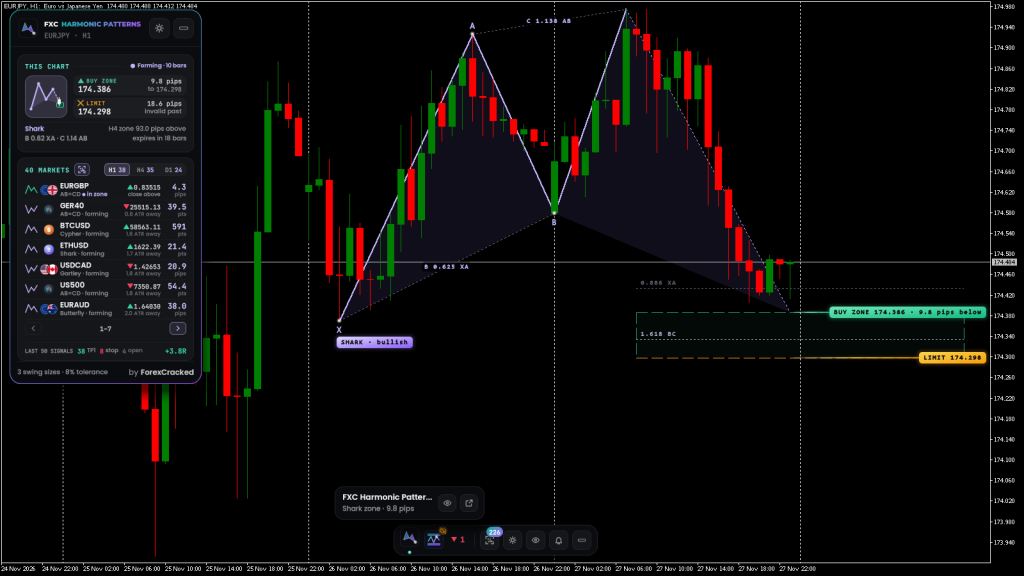
The FXC Dock
With any other FXC indicator on the chart they join up by themselves: one dock at the bottom of the chart, every dashboard one click away, and the Scanner one click from the dock.
 Triangle Patterns
 Wedge Patterns
 Support and Resistance
FXC Harmonic Patterns: questions, inputs and versions
Questions about FXC Harmonic Patterns
Does it work on MT4 and MT5?
Yes. One licence gives you both files.
How many accounts can I use it on?
Five MT4 or MT5 accounts, demo or live. You can move a slot to a new account in My products.
Does it place trades for me?
No. It is an indicator. It shows you the picture, and you place the trade.
Do updates cost extra?
No. Every update is free, and the panel on your chart tells you when one is out.
What if it isn't for me?
Ask for a refund within 14 days of buying: ask us, or open a ticket from My products. No reason needed.
Does it repaint?
Signals are decided on closed bars, and a printed signal, its arrow, entry, stop and targets, never moves. A forming zone is a projection: the pattern can still fail before a signal, and then it leaves the chart or turns grey. A reload reads the last 5,000 bars afresh, so a pattern at the far left of that window can come out differently.
Will it find the markets under my broker's symbol names?
It looks for each of the 40 under its usual name and other common ones (GOLD, USOIL, SPX500, DE40 and more), with your broker's prefix and suffix, found from the chart when left empty. The Experts log lists how many it found and which your broker doesn't have. If one is missed, set the prefix or suffix in the inputs.
Can an EA read the patterns?
No. FXC Harmonic Patterns is a premium indicator, and a hidden copy inside an EA gets no licence, so its buffers stay empty. It's made for the chart.
Why does it need Allow DLL imports?
The licence check uses it. The chart template in the download turns it on. Without it, MetaTrader 5 won't start the indicator, and MetaTrader 4 shows an alert and removes it. If the licence is refused, MetaTrader shows an alert with the reason and the indicator takes itself off the chart.
Not answered here? We reply within 24 hours, 24/7.Ask us
FXC Harmonic Patterns inputs
FXC Harmonic Patterns versions and changelog
- 1.0428 Nov 2026Latest
- New: first release.
- 1.0328 Nov 2026
- New: first release.
- 1.0228 Nov 2026
- New: first release.
- 1.0128 Nov 2026
- New: first release.
- 1.0028 Nov 2026
- New: first release.
Before you buy: installing FXC Harmonic Patterns
- A computer or a VPS. The MetaTrader phone apps can't run custom indicators.
- Allow DLL imports. The licence check uses it. The chart template in the zip already has it on.
- In the zip: the MT4 and MT5 files and a chart template, on one licence.
More help: How to install EAs and indicators in MT4 and MT5, or open a support ticket.
Get the zip from your success screen or My products and follow the guide. At the end, load the chart template FXC Harmonic Patterns. Your licence key is already in it, so the panel shows Licence active.
Install guideMoving to a new VPS or broker? Free up a slot in My products first.
Stuck installing or activating? Open a support ticket and pick this product.
FXC Harmonic Patterns reviews
Requests for FXC Harmonic Patterns
Vote on what we build for FXC Harmonic Patterns next, or add your own idea.
No requests for this one yet.
Adding a request takes a free account. We read every request first, so yours shows here once it's on the list.
An idea for a new indicator or EA? Ask on the roadmap
More dashboard tools
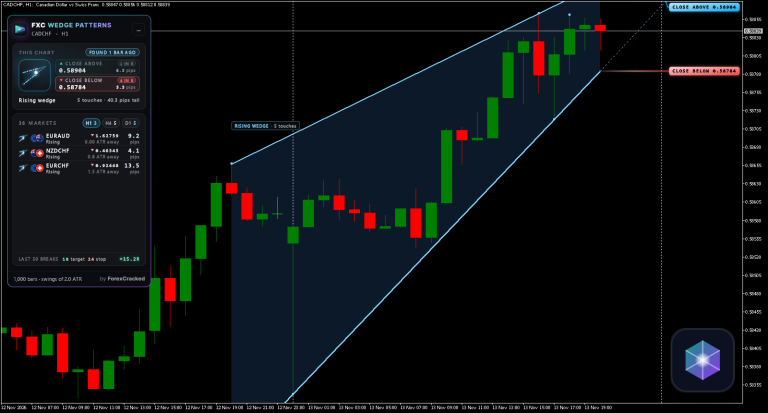

Wedge Patterns
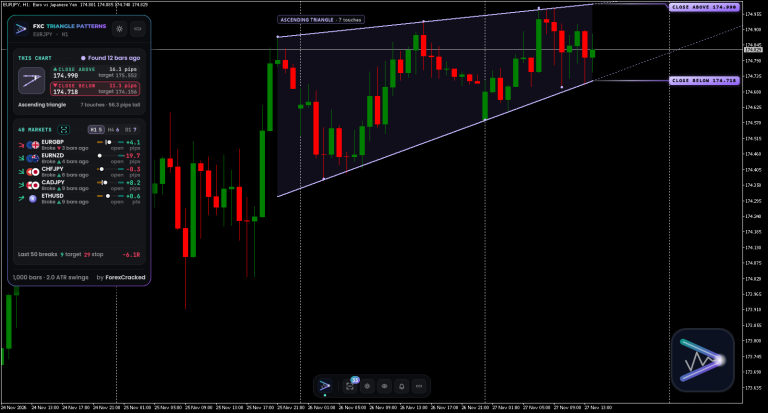
Triangle Patterns