

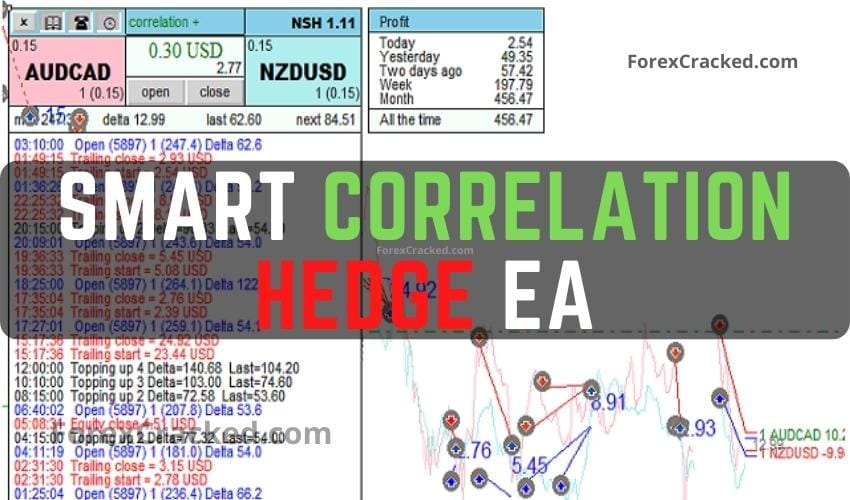
Smart Correlation Hedge EA MT4 FREE Download
Smart Correlation Hedge EA is internally distributed as NEW Smart Hedge. It is a fully automated correlation trading robot for MetaTrader...
Are you looking for the best MT4 EA to fully automate your forex trading? You have come to the right place. An MT4 EA (Expert Advisor) is an automated trading robot designed specifically for MetaTrader 4 that executes trades on your behalf based on pre-programmed algorithms, operating 24/5 without human emotion.
Finding a consistently profitable robot can be difficult, which is why we test and verify every system before publishing. Whether you need a high-frequency scalper, a safe grid system, or a prop-firm passing bot, our library offers over 530+ automated systems. Browse our massive collection to find your next expert advisor MT4 free download. Every EA comes with optimal set files, recommended timeframes, and broker compatibility guides to ensure you can start auto-trading immediately.
Popular MT4 EA Categories:
| EA Name | Strategy | Risk | Best For |
|---|---|---|---|
| Smart Machine EA | Recovery | 🟡 Medium | Account Recovery |
| Vigorous FX | Scalping | 🟡 Medium | Quick Trades |
| Gold Cycle Trader | Cycle Analysis | 🟢 Low | XAUUSD |
| FXStabilizer PRO | Martingale | 🔴 High | High Risk/Reward |
| Forex Vzlomshik Pro | Grid | 🟡 Medium | Range Markets |
How to Install: Download the .ex4 file → Open MT4 → File → Open Data Folder → MQL4 → Experts → Paste file → Restart MT4 → Enable AutoTrading.
![Pac Man FREE MT4 EA Download [Update]](https://www.forexcracked.com/wp-content/uploads/2023/08/Pac-Man-FREE-MT4-EA-Download-Update-Source-Codemq4-ForexCracked.com_.jpg)
![Dual-Trendline Breakout Scalper EA – Strategy Review & Free Download [Update]](https://www.forexcracked.com/wp-content/uploads/2025/11/Dual-Trendline-Breakout-Scalper-EA-Strategy-Review-Free-Download-ForexCracked.com_.jpg)
![Anti OverFitting EA V4.4 – Boring Pips FREE Download [Update]](https://www.forexcracked.com/wp-content/uploads/2025/04/Anti-OverFitting-EA-Boring-Pips-FREE-Download-ForexCracked.com_.jpg)
![Undefeated Triangle – Invincible Martingale EA FREE Download [Update]](https://www.forexcracked.com/wp-content/uploads/2024/09/Undefeated-Triangle-Invincible-Martingale-EA-FREE-Download-ForexCracked.com_.jpg)
An Expert Advisor (EA) is an automated trading program that runs on MetaTrader 4. It executes trades based on pre-programmed rules without requiring manual intervention.
We test all EAs for basic functionality. However, always backtest on a demo account before using real money. Check each EA's risk level (Low/Medium/High) in our reviews.
Download the .ex4 file → Open MT4 → File → Open Data Folder → MQL4 → Experts → Paste file → Restart MT4 → Enable AutoTrading.
Yes, but be careful with risk management. Running multiple EAs can compound risk if they trade the same pairs or use martingale strategies.
Most EAs work with any MT4 broker. Some EAs require specific conditions like low spreads, ECN accounts, or certain leverage levels. Check each EA's requirements.
No TradingView account yet? Create one free — the free plan runs everything above.